Delete
Delete removes whole bodies from the model and records a Remove feature in the Feature Tree. Use it to discard unwanted results after splitting a body or to remove geometry once it has served its purpose. The command is named Delete in the app.
Delete from the toolbar or Command Bar
- Choose Delete from the Transform dropdown in the toolbar, or search for Delete in the Command Bar.
- Select the body or bodies to remove in the Scene. You can also select a body from the Bodies pane.
- Continue to the review step, check the Objects selection, and confirm the command.
You can select bodies before starting the command. Multiple bodies can be removed in one Delete feature.
Delete from the Bodies pane
Open the Feature Tree, then right-click a body in the Bodies pane and choose Delete. This applies the operation immediately to that body.
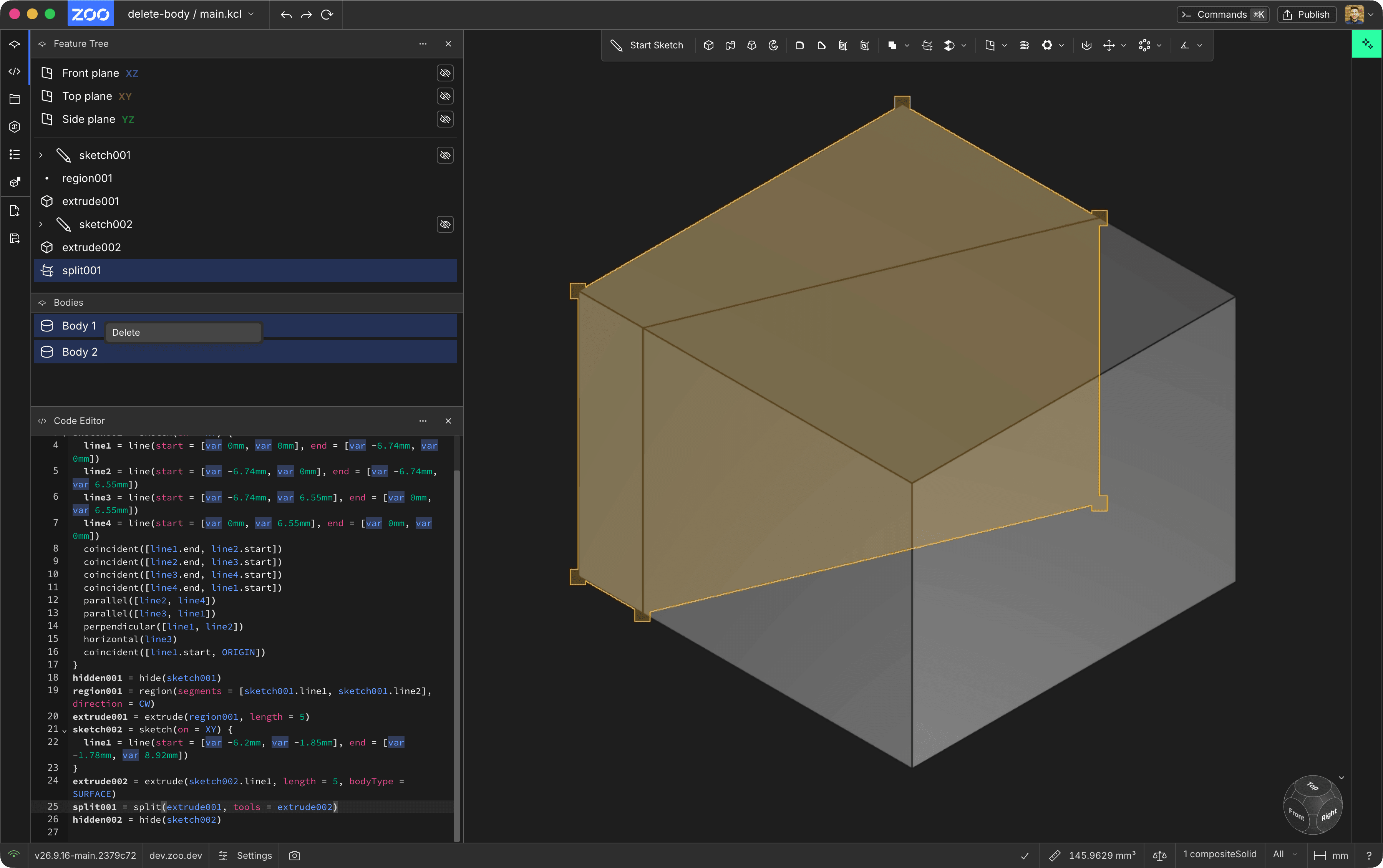
Before: choose Delete from the Bodies pane to remove an unwanted split body.
The body disappears from the Scene and the Bodies pane. The features that created it remain in the model history. Undo the operation, or remove its Remove feature from the Feature Tree, to restore the body.
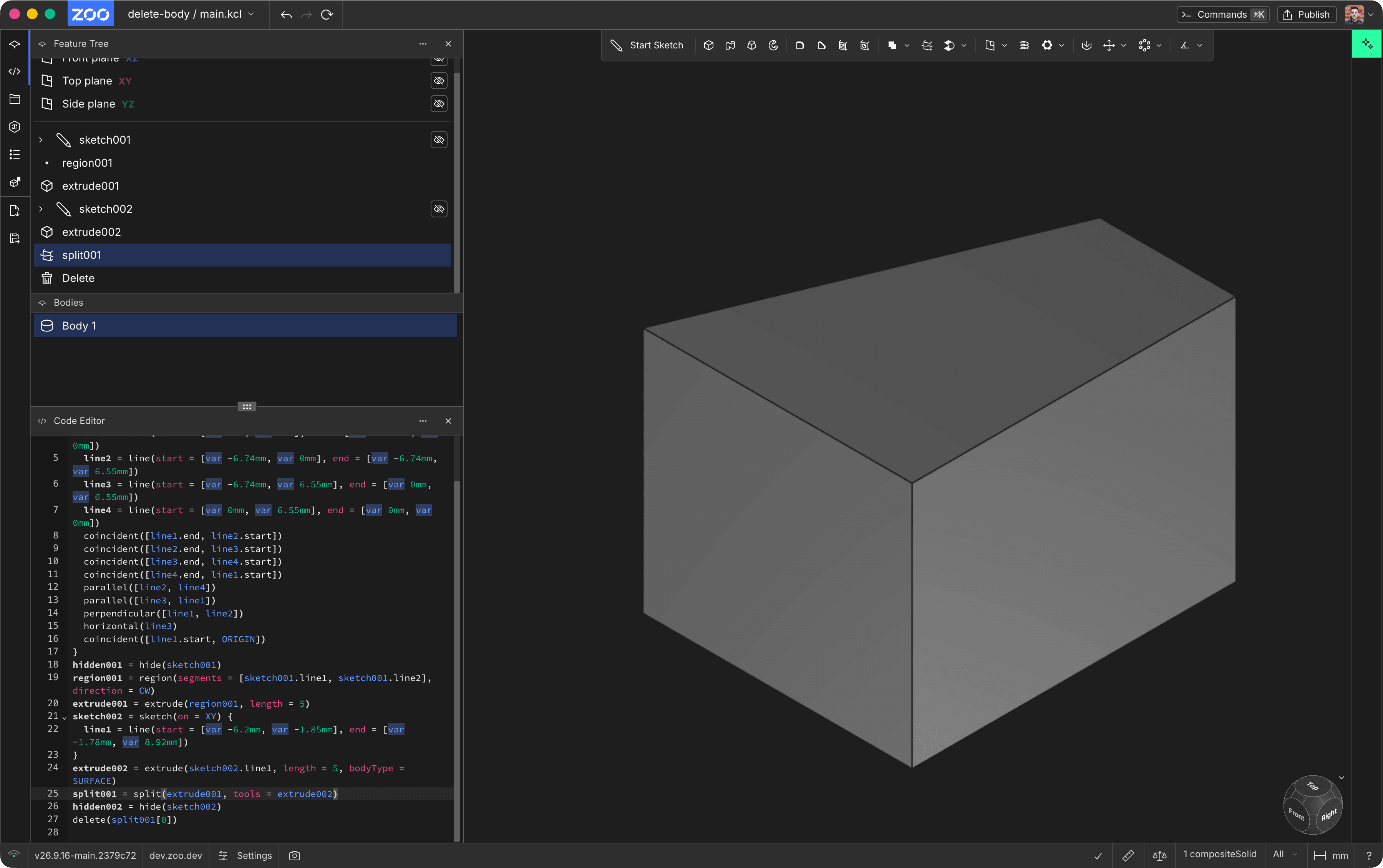
After: the unwanted body is removed, while the remaining body and earlier features are preserved.
Delete, hide, or delete a feature?
- Delete adds a modeling operation that removes the selected geometry. Later operations cannot use the deleted body.
- Hide changes visibility while keeping the body available. Use the eye control in the Bodies pane when you want to show it again later.
- Remove feature removes an operation from the model history and can affect the features that depend on it.
- Delete Face removes selected faces from a body, leaving the rest of the geometry.
KCL example
Zoo Design Studio writes a delete() call for this operation. This example creates a cylinder,
copies it to a new position, and deletes the original. The moved copy remains.
Pass an array to delete several bodies, for example delete([bodyA, bodyB]). Deleting a body twice,
or hiding or otherwise using it after deletion, produces an error.
See the delete KCL reference for all supported object
types and more examples.