Feature Tree
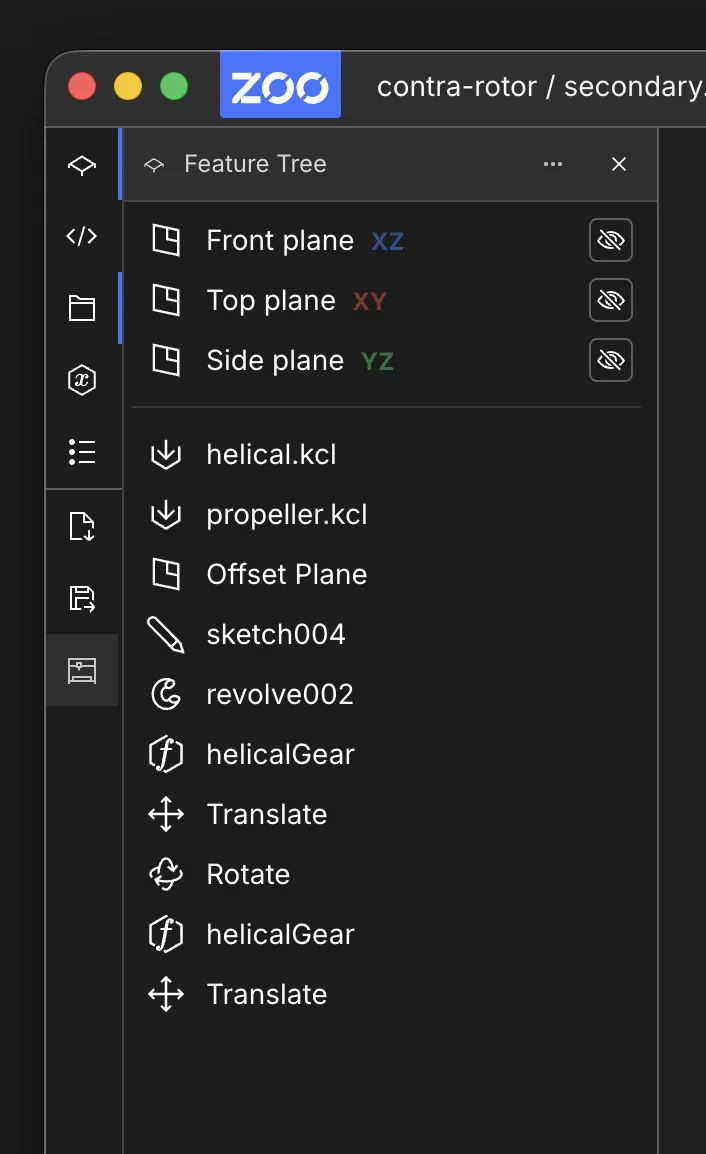
The Feature Tree shows the ordered operations used to build the current model.
The Bodies pane below it lists the current body-level results, so you can select and control finished geometry separately from its operation history.
What You Can Do
- Inspect ordered model history and grouped operations.
- Select operations and jump to the corresponding KCL source.
- Double-click many supported operations to edit parameters.
- Use context menu actions such as
Edit,Delete,Translate,Rotate,Scale,Clone, andSet Appearancewhen the operation type supports them. - Export supported sketch operations to DXF from the context menu.
What You Cannot Do
- Edit every operation from the tree. Some operation types are view-only or partially supported.
- Edit user-defined function or module operations from the tree. Edit those in code instead.
- Rely on tree-based editing for every sketch-on-face or offset-plane workflow. Some of those still require scene-based editing.
Key Differences in This Area
- Tree items stay linked to command-bar edits and KCL source ranges.
- Editing coverage is intentionally partial, so some workflows remain code- or scene-driven.