Delete Face
Delete Face removes selected faces from a solid or polysurface. Use it when a body needs an intentional opening, when a split created a face you want to discard, or when imported geometry contains a bad patch that should be rebuilt.
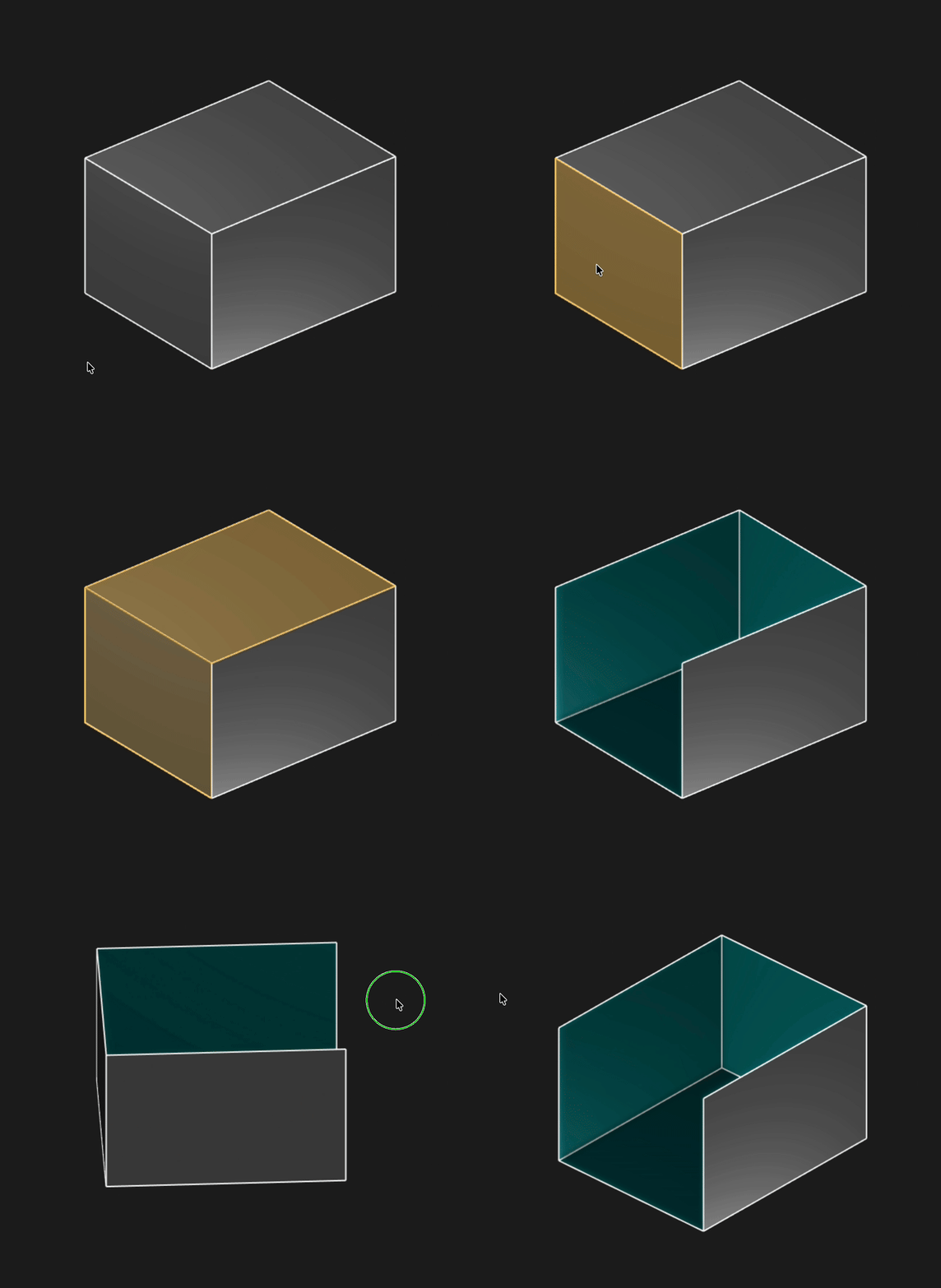
Select one or more faces, then run Delete Face to remove them from the body
Selection
Select the face or faces you want to remove. Delete Face can remove multiple faces in one feature, as long as they belong to the selected solid or surface body.
When to use it
- Open a solid body by removing a cap, wall, or end face
- Remove a face created by Split
- Delete an unwanted surface patch before replacing it with new surface geometry
- Simplify imported geometry by removing faces you do not need
What changes
Deleting a face from a closed solid makes the result open. The surrounding edges become free boundaries, and features that referenced the deleted face may need to be edited.
If the result is not what you expected, undo the operation or edit the Delete Face feature in the feature tree.
Are you interested in code?
Zoo Design Studio writes KCL behind the scenes. Delete Face is the deleteFace function applied to
one or more selected faces.
Here is a small open-box example. The sketch creates a rectangular prism, tags the top cap during the extrude, then deletes the top face and one side face.
Want to find out more about the deleteFace function? Check it out
in our KCL docs.