Runout
Runout controls how much a round feature may vary as it rotates around a datum axis. Use it for shafts, shoulders, bearing seats, pulleys, and other rotating features where circular variation relative to an axis affects fit, vibration, or sealing.
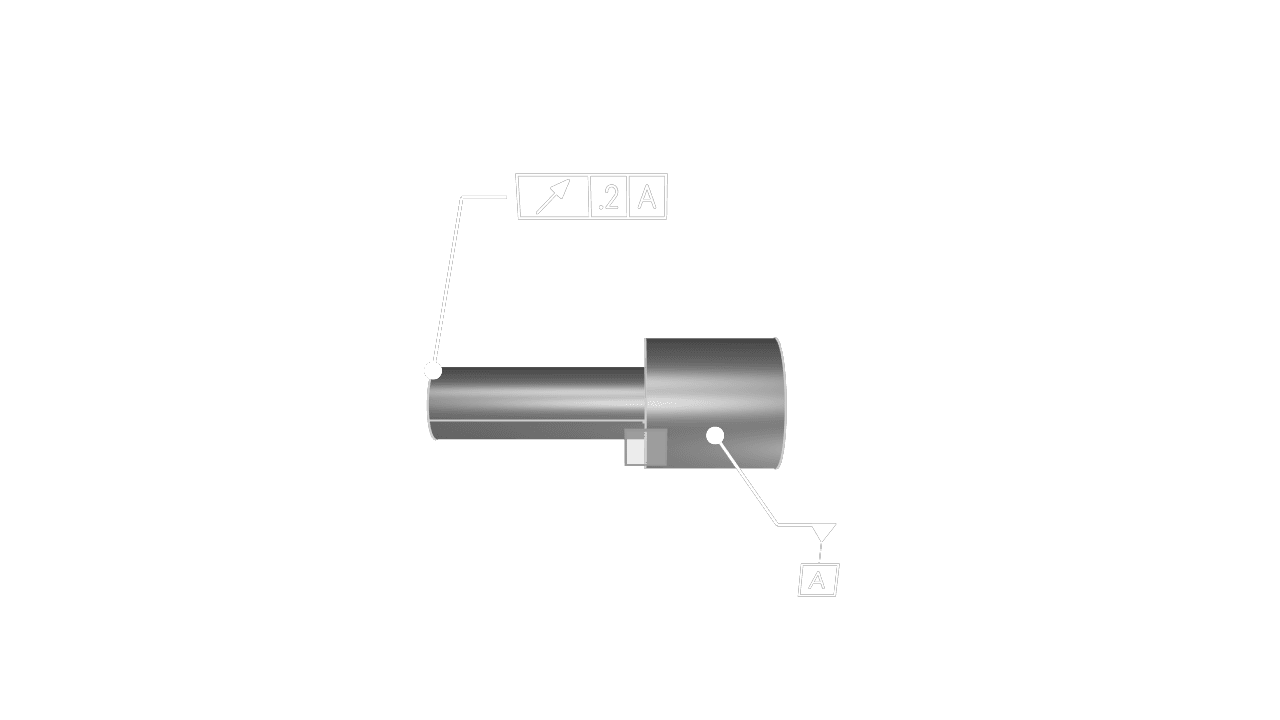
Faces Or Edges
Select a round face or circular edge that should be controlled during rotation about the datum axis.
Tolerance
Set the allowed circular runout in the current unit system.
Datums
Add the datum label or labels that define the rotation axis. Runout requires at least one datum reference.
Precision
Choose how many decimal places to display for the tolerance value.
Frame Position
Place the feature control frame near the selected round feature while keeping it clear of other annotations.
Frame Plane
Choose the display plane for the annotation. Use the plane that keeps the callout readable in the view where runout will be reviewed.
Leader Scale
Adjust the visual scale of the leader dot.
Font Size
Set the model-space height of the annotation text.
Are you interested in code?
Zoo Design Studio writes KCL behind the scenes. A Runout annotation uses gdt::runout with
selected faces or edges, a tolerance, and datum references.
Want to find out more about the gdt::runout function?
Check it out in our KCL docs.