Overview
KCL
Sign In
Overview
/
Zoo Design Studio
/
Features
/
3D Design
/
Parametric Modeling
/
Sketching
/
Constraints
/
Parallel
Zoo Design Studio Menu
  • Getting Started
  • Zookeeper
  • Features
    • 3D Design
      • Parametric Modeling
        • Sketching
          • Sketch Geometry
          • Construction Geometry
          • Tools
          • Constraints
            • Coincident
            • Parallel
            • Perpendicular
            • Equal
            • Vertical
            • Horizontal
            • Fixed
            • Tangent
            • Midpoint
            • Symmetry
          • Dimensions
          • Regions
          • Snaps
        • Solid Modeling
        • Surface Modeling
        • Transforms
        • Construction Geometry
      • Assemblies
      • Geometric Analysis
    • ML / AI
    • Simulation
    • Documentation
    • Data Management
    • Technical Support
    • System Requirements
    • Workspace
  • Aquarium CAD Gallery

Parallel

The Parallel constraint keeps two line segments parallel as the sketch changes. Use it to preserve constant direction across profile edges, guide rails, and layout geometry.
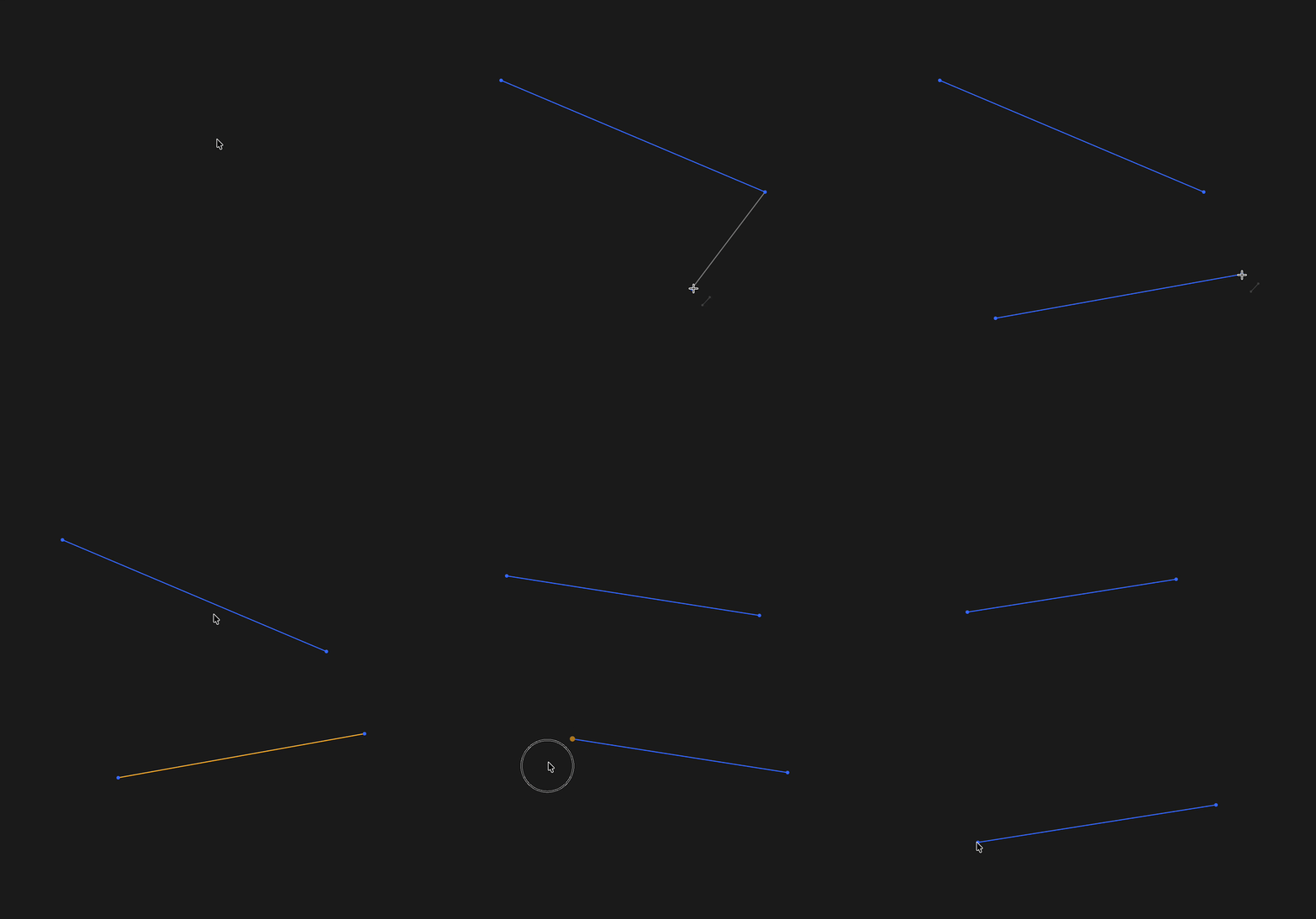
Applying a parallel constraint to sketch segments

Parallel keeps selected line segments at the same direction

Found a typo?
On this page
Get API token
  • Top

Found a typo?
Zoo

8701 Aviation Blvd

Inglewood, California 90301

    Product
  • Zoo Design Studio
  • Zookeeper
  • Aquarium CAD Gallery
  • Download App
  • Release Notes
    Company
  • Enterprise
  • Roadmap
  • Events
  • Careers
  • Research
  • Blog
  • Contact us
    Pricing
  • Zoo Design Pricing
  • API Pricing
    Resources
  • Tutorials
  • Developers
  • Support
  • Terms & Conditions
  • Privacy Policy
  • Security
  • Trust Center

Copyright © 2026 ZOO CORPORATION All rights reserved.