Documentation
Overview
Overview
/
Zoo Design Studio
/
Features
/
3D Design
/
Parametric Modeling
/
Sketching
/
Constraints
/
Fixed
Zoo Design Studio Menu
  • Getting Started
  • Point-and-Click Tutorials
  • Zookeeper
  • Features
    • 3D Design
      • Parametric Modeling
        • Sketching
          • Sketch Geometry
          • Construction Geometry
          • Tools
          • Constraints
            • Coincident
            • Parallel
            • Perpendicular
            • Equal
            • Vertical
            • Horizontal
            • Fixed
            • Tangent
            • Midpoint
            • Symmetry
          • Dimensions
          • Tool Picker
          • Regions
          • Snaps
        • Solid Modeling
        • Surface Modeling
        • Transforms
        • Construction Geometry
      • Assemblies
      • Geometric Analysis
    • ML / AI
    • Simulation
    • Documentation
    • Data Management
    • Technical Support
    • System Requirements
    • Workspace
  • Aquarium CAD Gallery

Fixed

The Fixed constraint holds selected sketch geometry at its current solved location. Use it for intentional anchors or reference points that should not move while surrounding geometry changes.
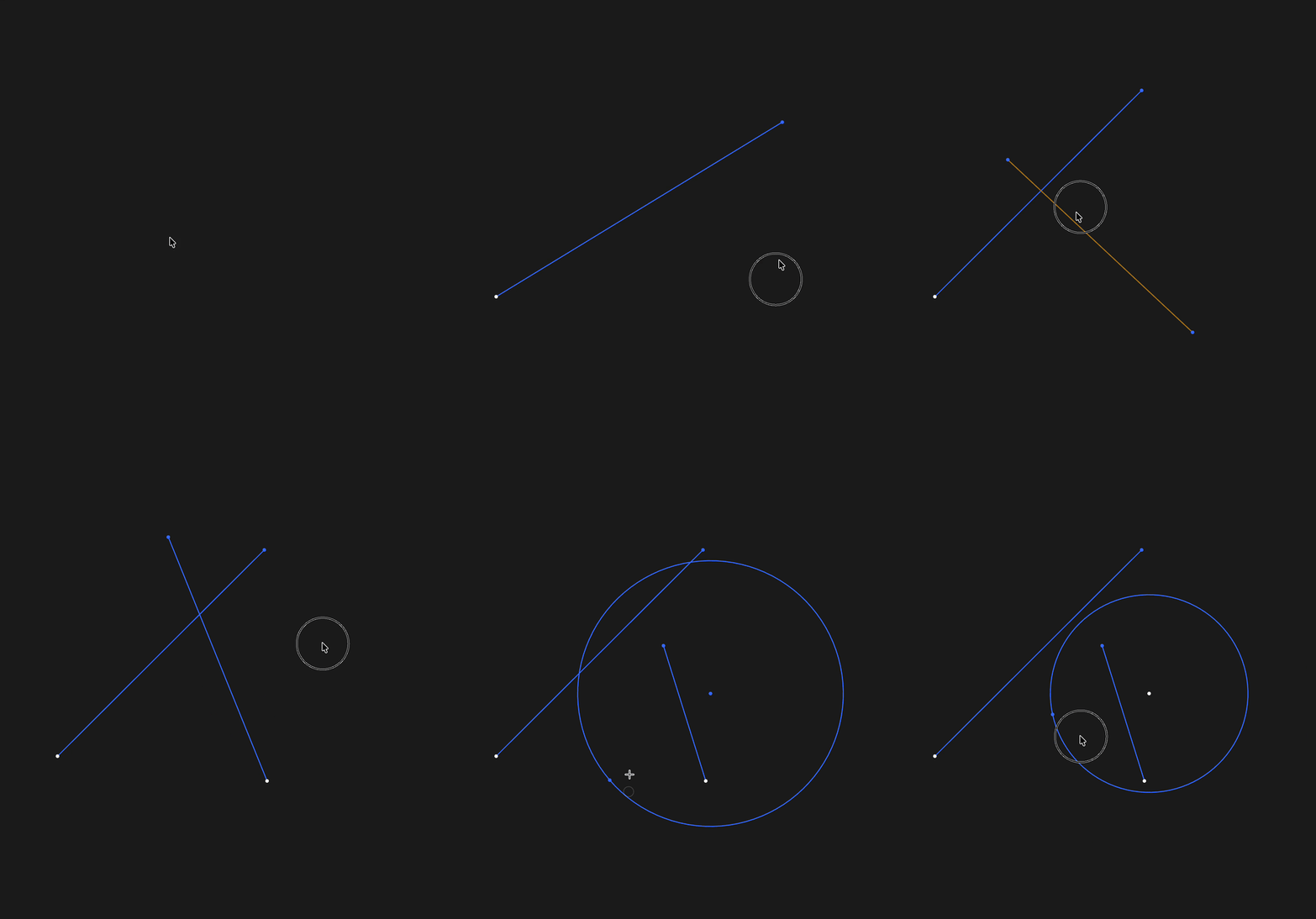
Applying a fixed constraint to sketch geometry

Fix sketch geometry when it should hold its solved position

Found a typo?
On this page
Get API token
  • Top

Found a typo?

Building the future of CAD.

Stay connected

Product

  • Zoo Design Studio
  • Zookeeper
  • API
  • MCP
  • Manufacturing
  • Aquarium CAD Gallery

Resources

  • Tutorials
  • Documentation Hub
  • Support
  • Security
  • Trust Center

Company

  • Enterprise
  • Roadmap
  • Events
  • Careers
  • Research
  • Blog
  • Contact

Pricing & Legal

  • Zoo Design Studio Pricing
  • API Pricing
  • Terms & Conditions
  • Makeathon Rules
  • Privacy Policy

Copyright © 2026 Zoo Corporation All rights reserved.