Loft Solid
Use Loft to create a 3D solid that smoothly transitions between two or more sketch profiles. Loft is essential for blended mechanical forms, tapered transitions, aerodynamic surfaces, and geometry that changes cross-sectional shape along its length.
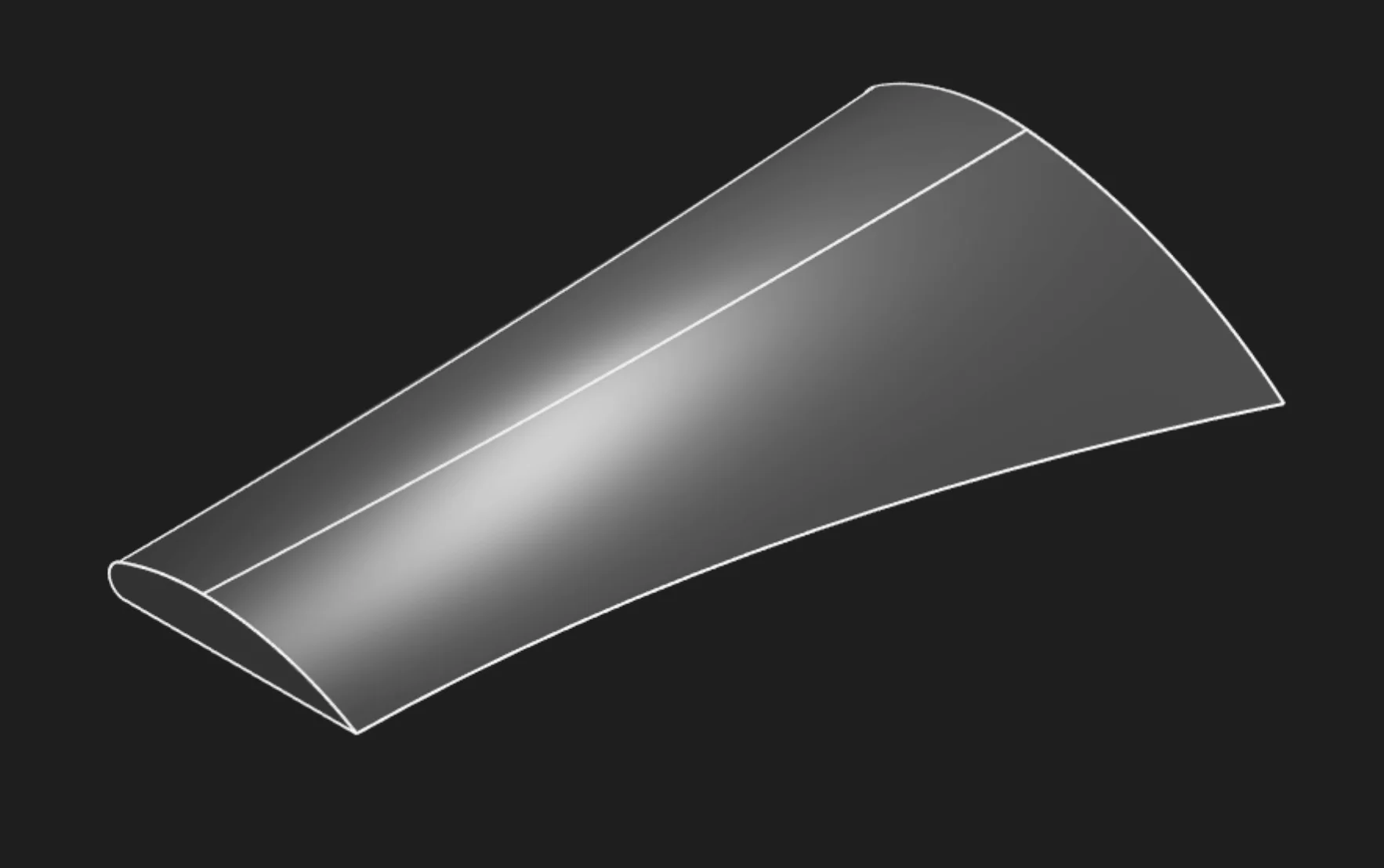
Loft Solid in Zoo Design Studio
Sketches
Select two or more sketch regions in order from start to end. A closed sketch encloses an area, and Zoo Design Studio exposes that filled area as a selectable region. For a solid loft, select regions, not the individual sketch segments. Segments define each section boundary, but the filled regions are the sections the loft connects.
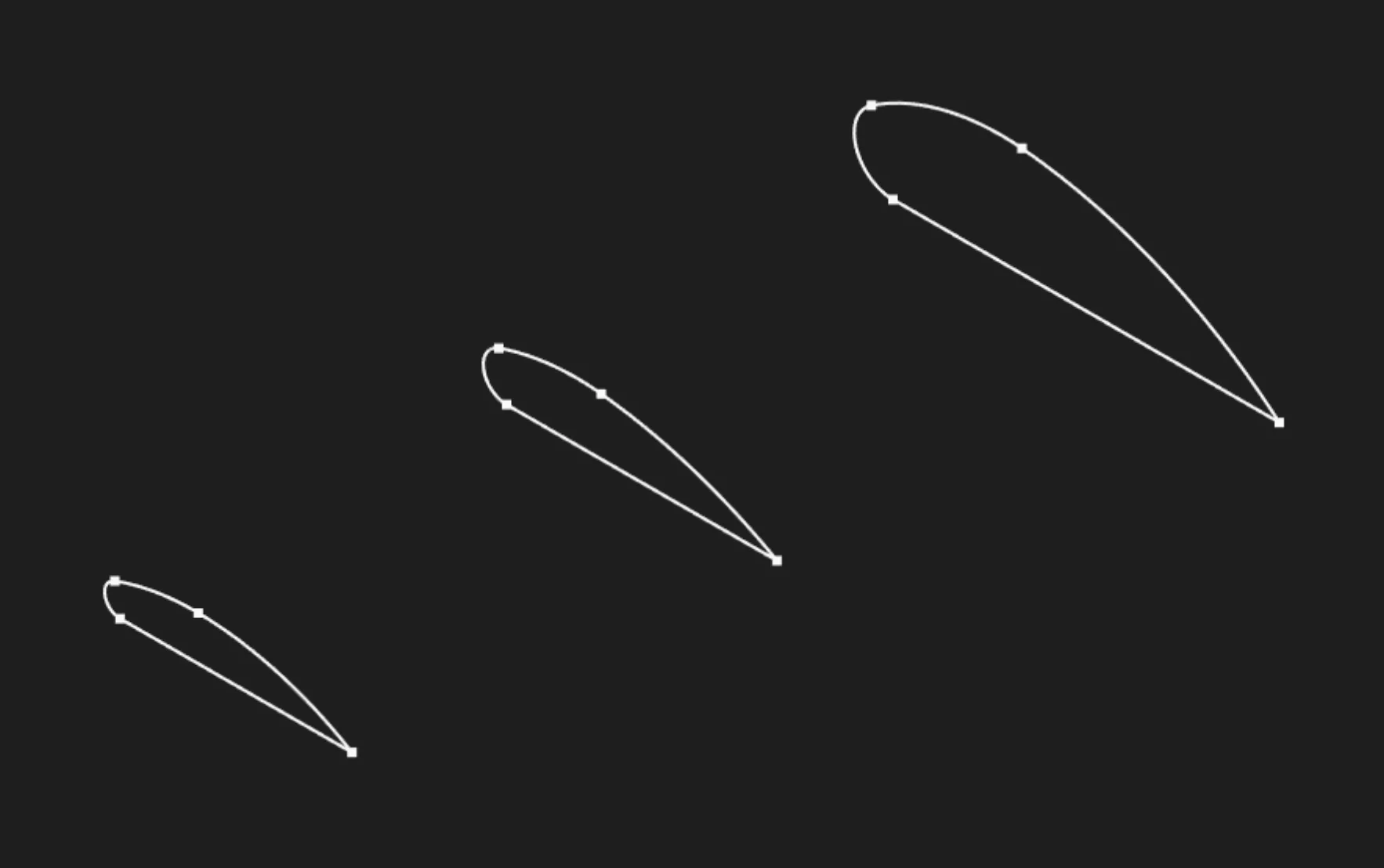
Sketch edges define the boundary, but the outline itself is not the solid profile selection
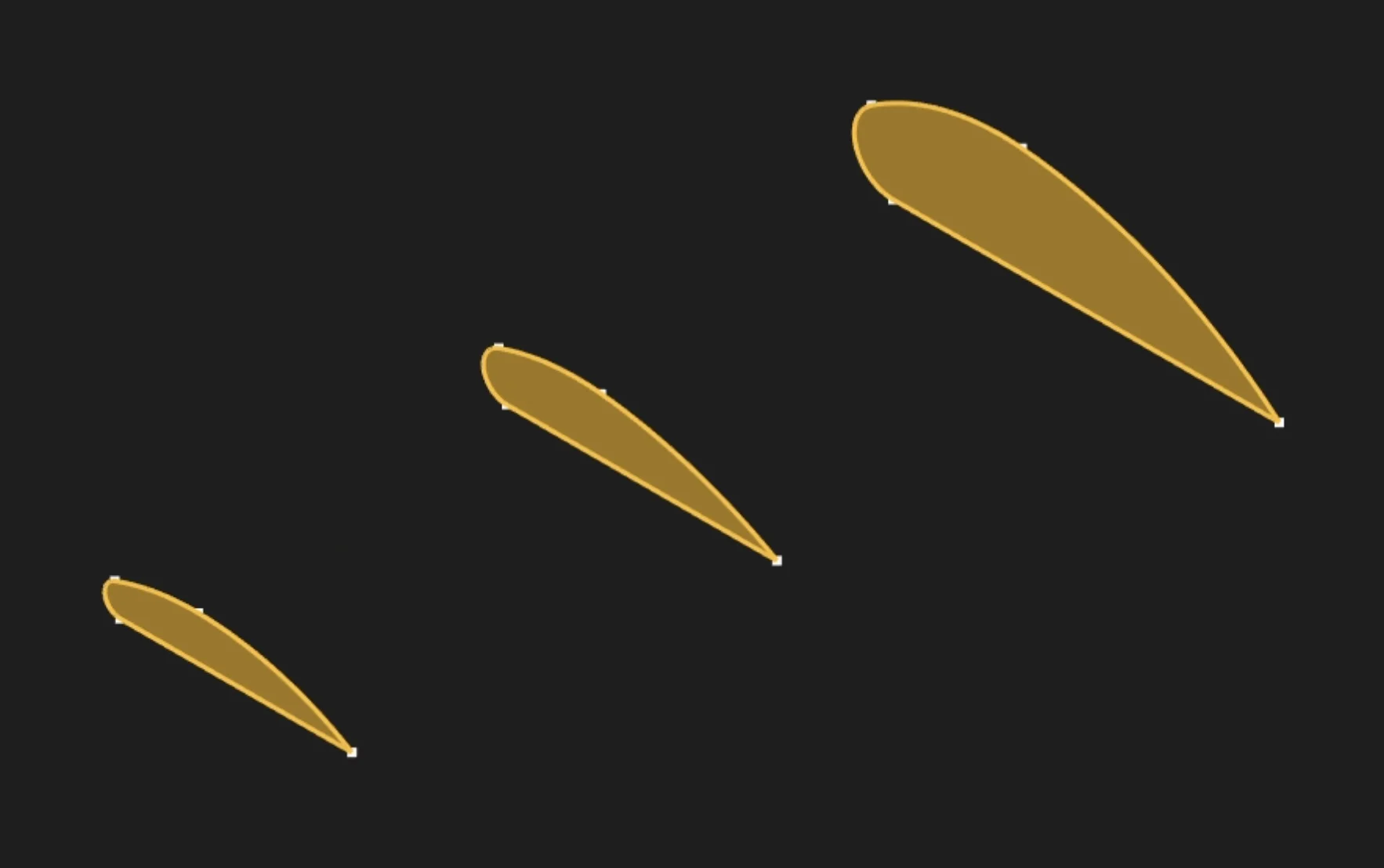
Select the filled sketch regions to define the loft sections
The selected regions become the loft sections. They can have different shapes and sizes, and each section should be positioned where you want it along the loft.
Surface Degree (V-Direction)
Controls how smooth the transition is between profiles. Default is 3 (cubic), which gives smooth curvature. Higher values create smoother transitions but compute slower:
- 1 - Linear (straight blend)
- 3 - Cubic (smooth, recommended)
- 5+ - Very smooth transitions
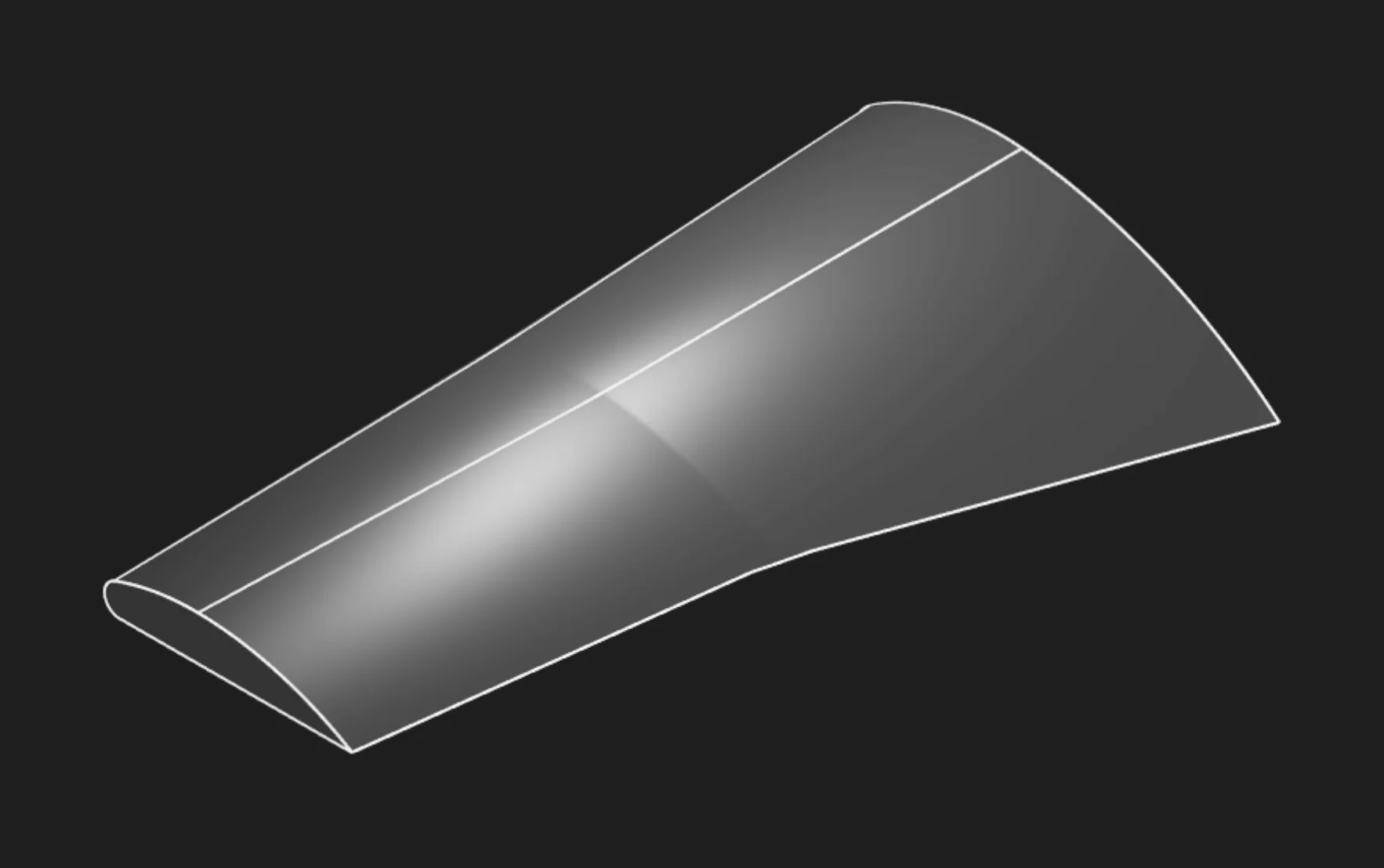
Example: V-Degree 1 creates a straight, linear blend between profiles
Bezier Approximation
Enable this when a loft that mixes arcs, circles, and non-arc section geometry shows visible banding or uneven interpolation. Arcs and circles are rational curves, which can represent exact circular geometry. Bezier curves are polynomial approximations. bezApproximateRational asks the engine to approximate rational curves as Bezier curves so the loft sections use more similar curve math.
Leave this off unless you see a problem it fixes. The approximation can improve arc-to-non-arc blends, but it may also create errors in other cases.
Base Curve Index
Loft has to decide how points and edges on one section correspond to points and edges on the next section. The engine automatically chooses a topological base curve, usually from the first section it encounters, and uses that as the reference for interpolation.
baseCurveIndex overrides that automatic choice. Use it when the loft connects the right sections but twists, crosses, or matches the wrong side of one profile to another. The value is zero-based, so 0 means the first candidate base curve, 1 means the next one, and so on. Most simple lofts do not need this parameter.
Tolerance
Controls the small-distance threshold used to decide whether entities are coincident, intersecting, coplanar, or similar. For normal lofts, leave this at its default value. Change it only when troubleshooting very small or nearly coincident profiles.
Start Tag and End Tag
Tag the first profile's face or the last profile's face to reference them later. This is mainly used for referencing faces from other objects or features, especially in code or scripts. In the usual point-and-click UI flow, you don't need to set these tags. This is mostly for advanced users who want precise control or automation.
Body Type
Choose solid (requires closed profiles) or surface for a shell without thickness.
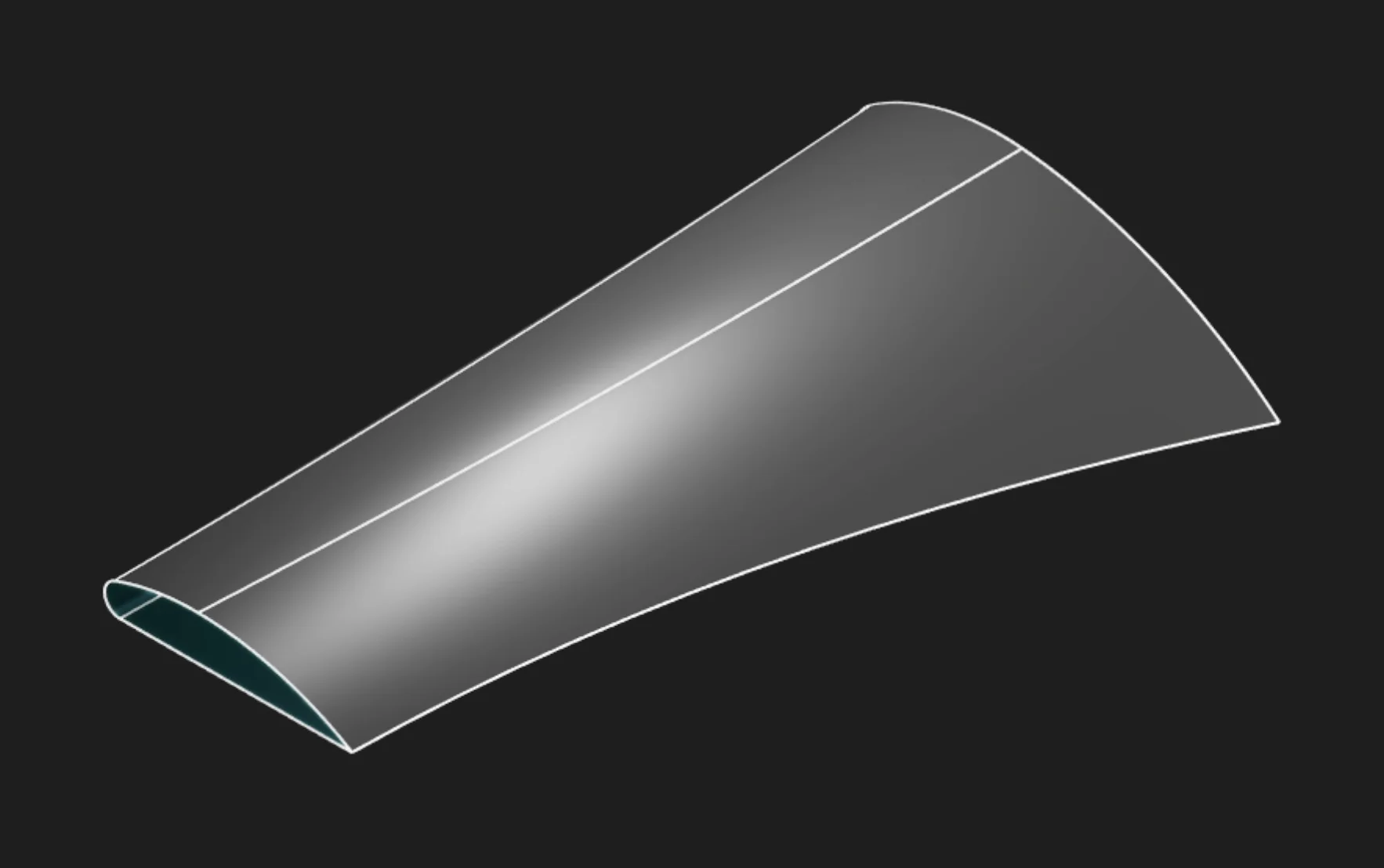
In this example, switching Body Type to Surface creates a shell without thickness.
If you want to learn more about surface modeling, see the Surface Loft page.
Parameter Reference
sketches: The loft sections. In the UI, select at least two filled regions in the order the loft
should connect them.
vDegree: Sets the interpolation degree in the V direction. Use 1 for a straight linear
transition, 2 for quadratic, or 3 for a smoother cubic transition.
bezApproximateRational: Approximates rational curves, such as arcs, with Bezier curves to reduce
banding when mixing arc and non-arc profiles.
baseCurveIndex: Overrides the automatically chosen topological base curve when the loft twists or
matches the wrong sides of sections.
tolerance: Sets the coincidence/intersection threshold for very small geometry checks. Usually
leave this at the default.
tagStart: Names the first loft face for later reference.
tagEnd: Names the final loft face for later reference.
bodyType: Creates either a solid body or a surface body.
Prefer to learn by watching?
If you want to find out more in a different way, check out our video walkthrough:
Are you interested in code?
Zoo Design Studio writes KCL behind the scenes. Here’s an example of a solid loft in KCL:
Want to find out more about the loft function? Check it out in our KCL docs.