Queue and Steer
Queue and Steer keeps AI Chat moving while Zookeeper is working. Queue captures the next prompt. Steer redirects the current task.
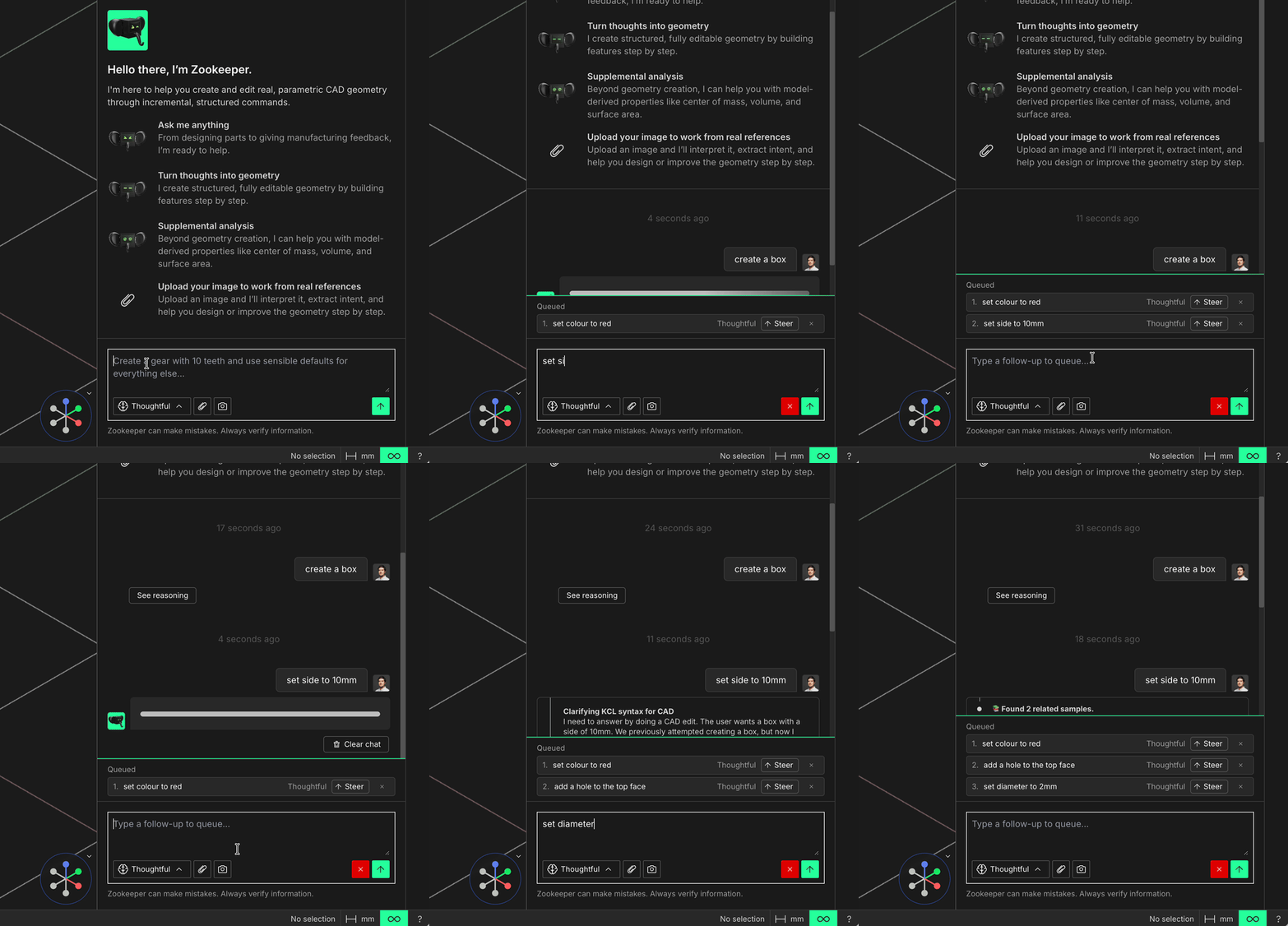
Queue follow-up prompts while Zookeeper works, then steer the active task when direction changes
Queue
Queue adds a follow-up prompt to the list of tasks Zookeeper should handle next. Use it when you already know the next step, such as changing a dimension, applying a color, adding another feature, or asking for a check after the current edit finishes.
Steer
Steer promotes a queued prompt into guidance for the work already in progress. Use it when the current task is still running and you want to correct, narrow, or redirect it without starting the conversation over.
For the full chat workflow, see AI Chat.