Modes
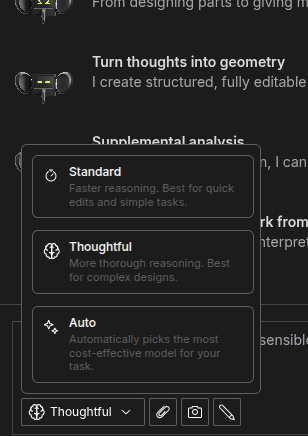
Zookeeper has three modes: Auto, Standard, and Thoughtful. Modes change how much reasoning Zookeeper applies before it responds. Use Auto when you want Zookeeper to choose for you, Standard for quick work, and Thoughtful for complex CAD tasks that benefit from deeper reasoning.
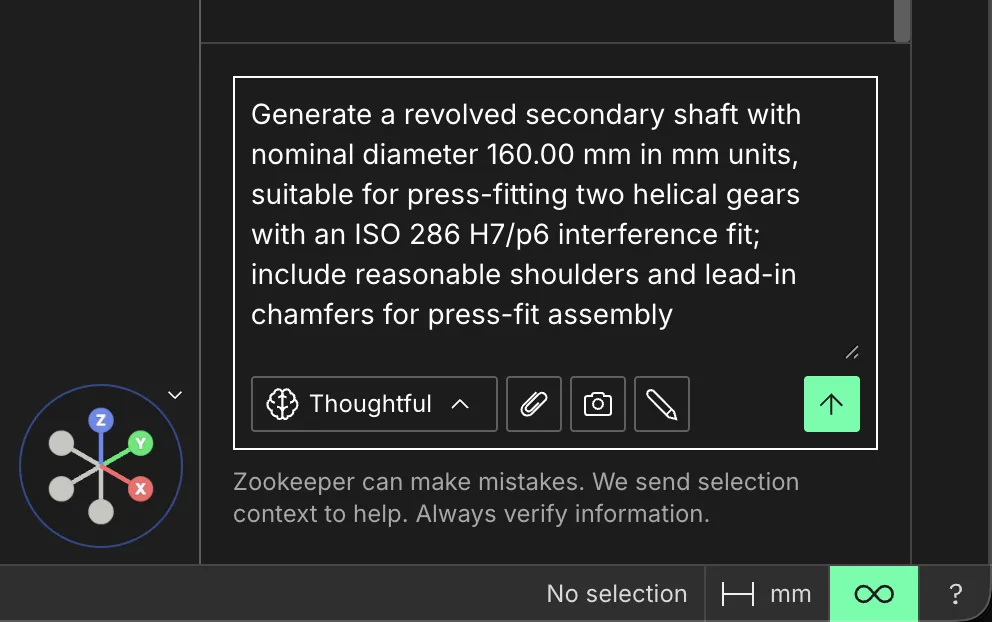
Open the prompt controls to choose a mode before sending your request
Auto
Auto chooses the model and reasoning effort for the task. Start here when you want Zookeeper to balance speed, cost, and capability automatically.
Thoughtful
Thoughtful takes more time, but gives Zookeeper more reasoning depth. Use it for complex CAD modeling, multi-step edits, and workflows where quality matters more than response speed.
Standard
Standard prioritizes faster responses with less reasoning depth. Use it for simple geometry changes, quick iterations, web search, documentation lookup, or general questions about a design.
Availability
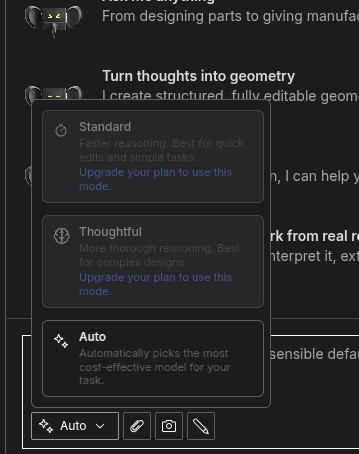
Your plan determines which modes you can select. Modes that are not included in your plan still appear in the selector with upgrade messaging, so you can see what is available on paid plans.
Free users can select Auto only. Paid plans include all three modes: Auto, Standard, and Thoughtful.
Free plan
On the Free plan, Auto is selectable. Standard and Thoughtful stay visible but disabled until your plan includes them.
Paid plans
On paid plans, Auto, Standard, and Thoughtful are all selectable. Use Auto for automatic selection, Standard for speed, or Thoughtful for deeper CAD reasoning.