Export DXF
Export a sketch to DXF when you need its 2D geometry outside Zoo Design Studio.
Export a sketch to DXF
Open the Feature Tree, right-click the sketch you want to send downstream, and select Export to DXF.
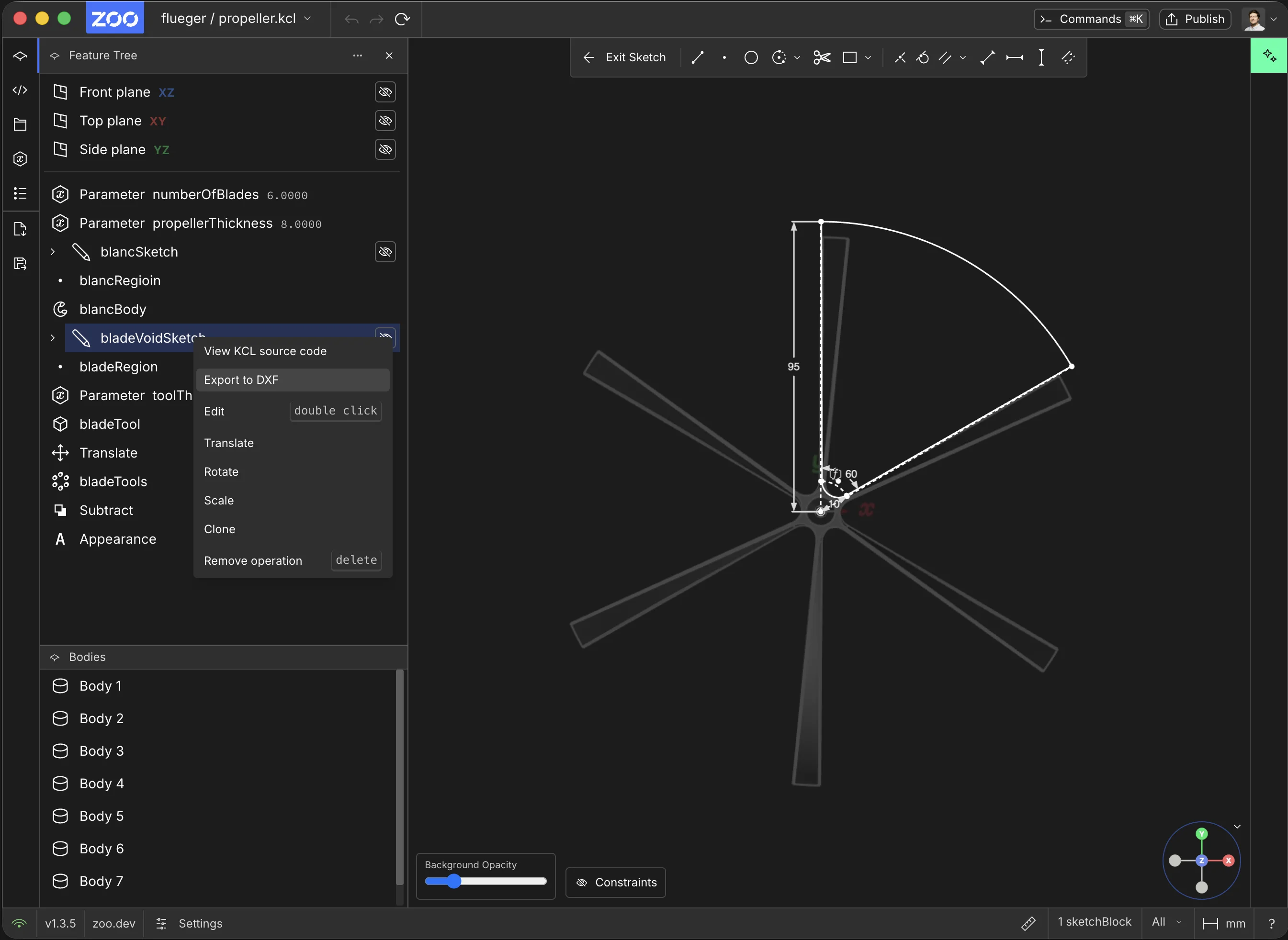
Right-click the sketch in the Feature Tree and select Export to DXF
Zoo Design Studio writes a .dxf file for the selected sketch.
Common use cases
Use DXF export when another tool or process needs the sketch itself rather than the full 3D model. Common examples include laser cutting profiles, CNC setup, sharing 2D reference geometry with another CAD or CAM tool, and keeping sketch-level documentation with a project.
Learn more about sketching
If you want more detail on creating and editing sketches, see Sketching.