Today, I'm excited to introduce Zookeeper, the conversational CAD agent natively integrated into Zoo Design Studio. Zoo's mission is to advance the hardware design industry by building modern software that supercharges CAD work and removes tedium for engineers. Zookeeper integrates with Zoo's proprietary CAD engine, the Zoo KittyCAD API, and Zoo Design Studio to enable ML-powered research, design, modeling, and review in your CAD workflow.
What can Zookeeper do?
Zookeeper is intended to provide value to novice and expert users alike. Here are some of the ways our in-house designers and engineers are using Zookeeper today:
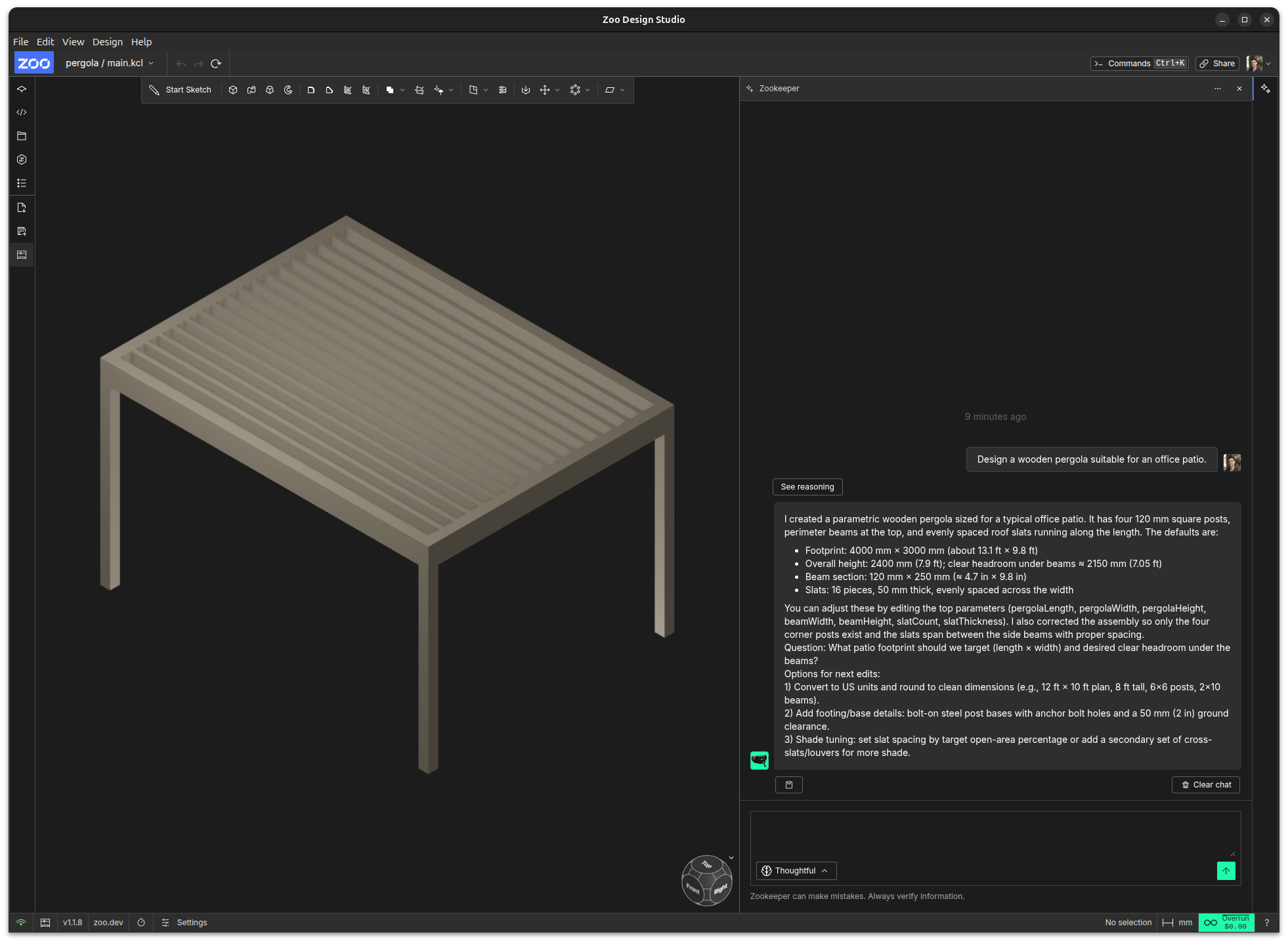
Build and edit CAD models
Zookeeper can create new CAD models in an empty project, modify existing designs, and anticipate and suggest new modifications.
Zookeeper is aware of any bodies, features, faces or edges highlighted by the user, so you can use your mouse to select areas of your model via the viewport to prompt more quickly. For instance, click to highlight one or more faces of a model, and prompt, "round the edges".
Use vision for accurate results
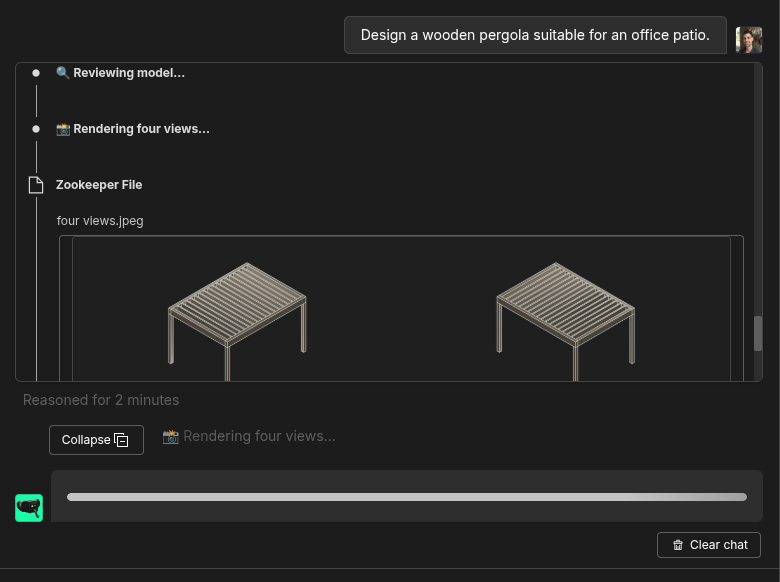
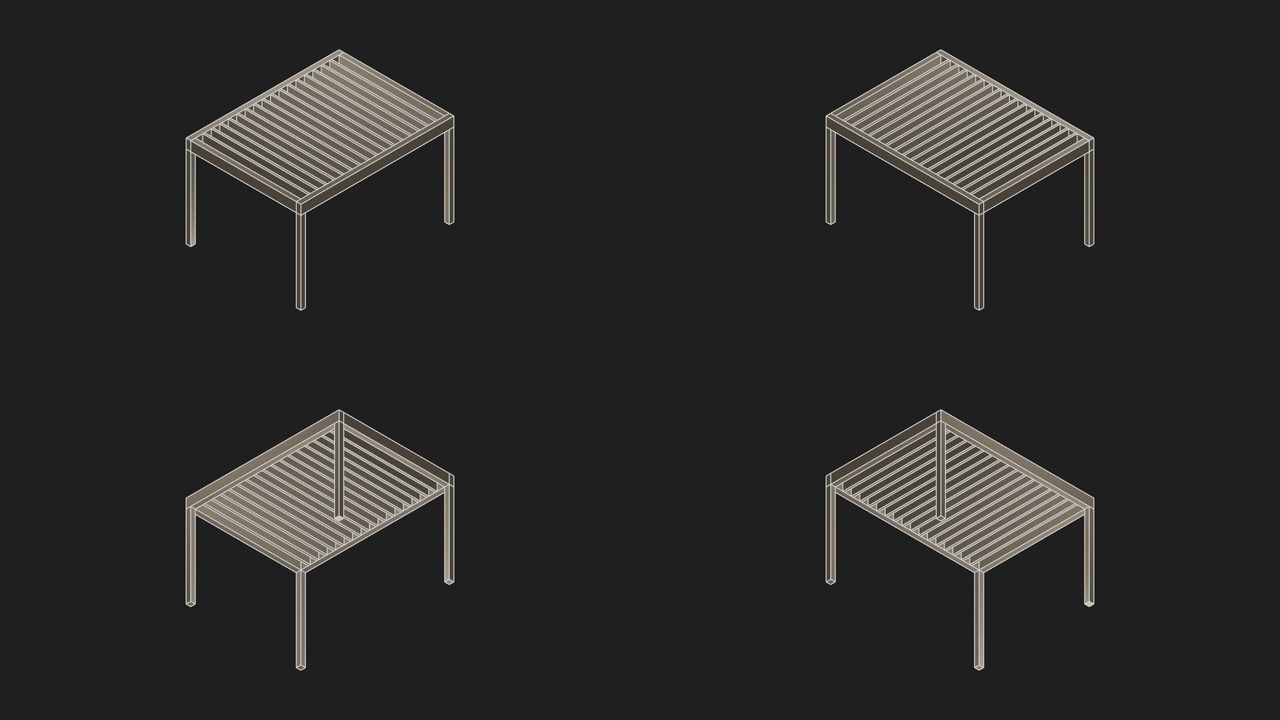
Zookeeper can view and interpret your model from any angle. By default, Zookeeper will trigger snapshots to review and validate any modifications it makes on the user's behalf.
Plan collaboratively and answer questions
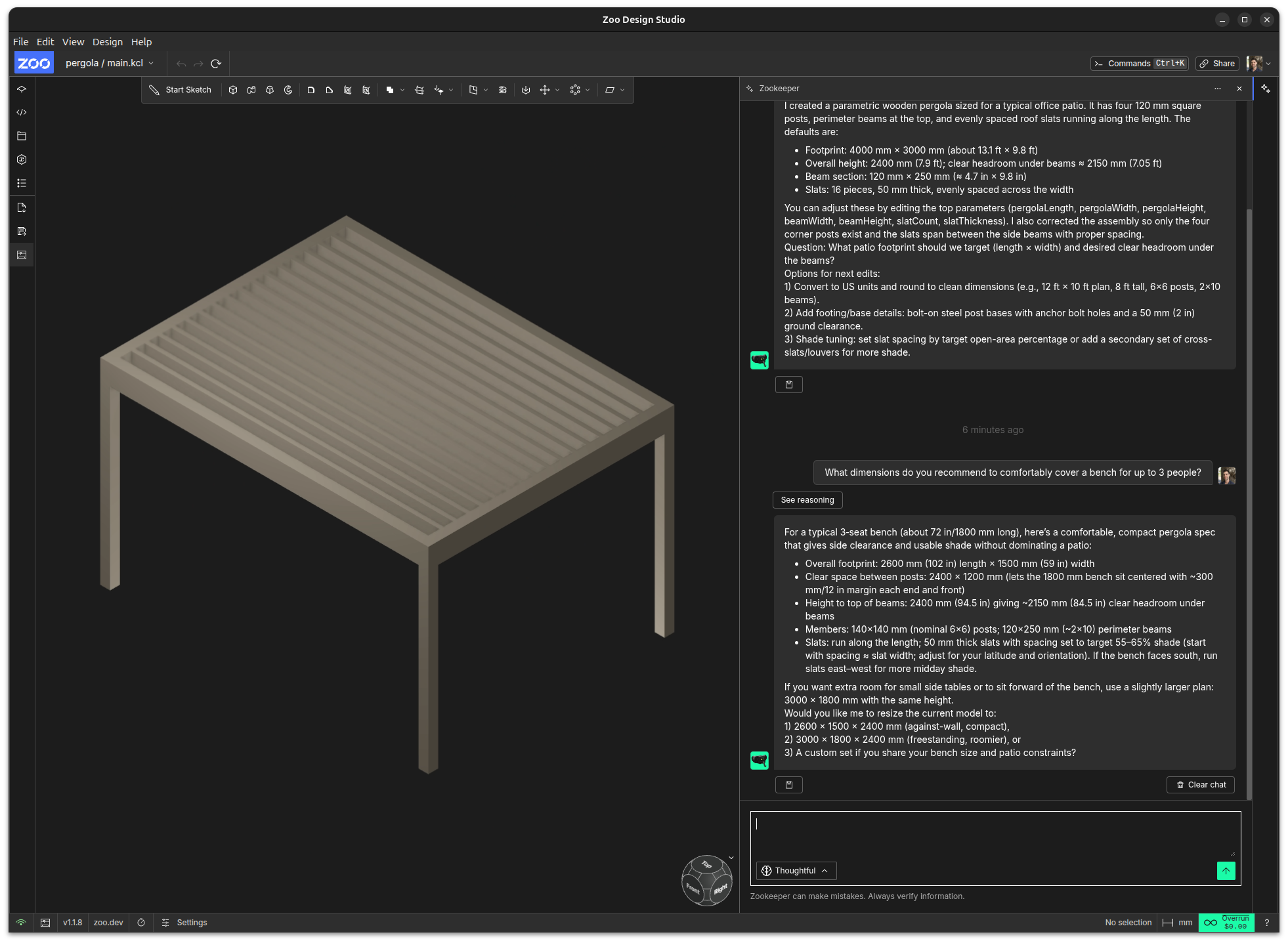
Zookeeper is a conversational agent. It is trained to assist users in conceptualizing their designs, guiding them step-by-step, and making informed decisions.
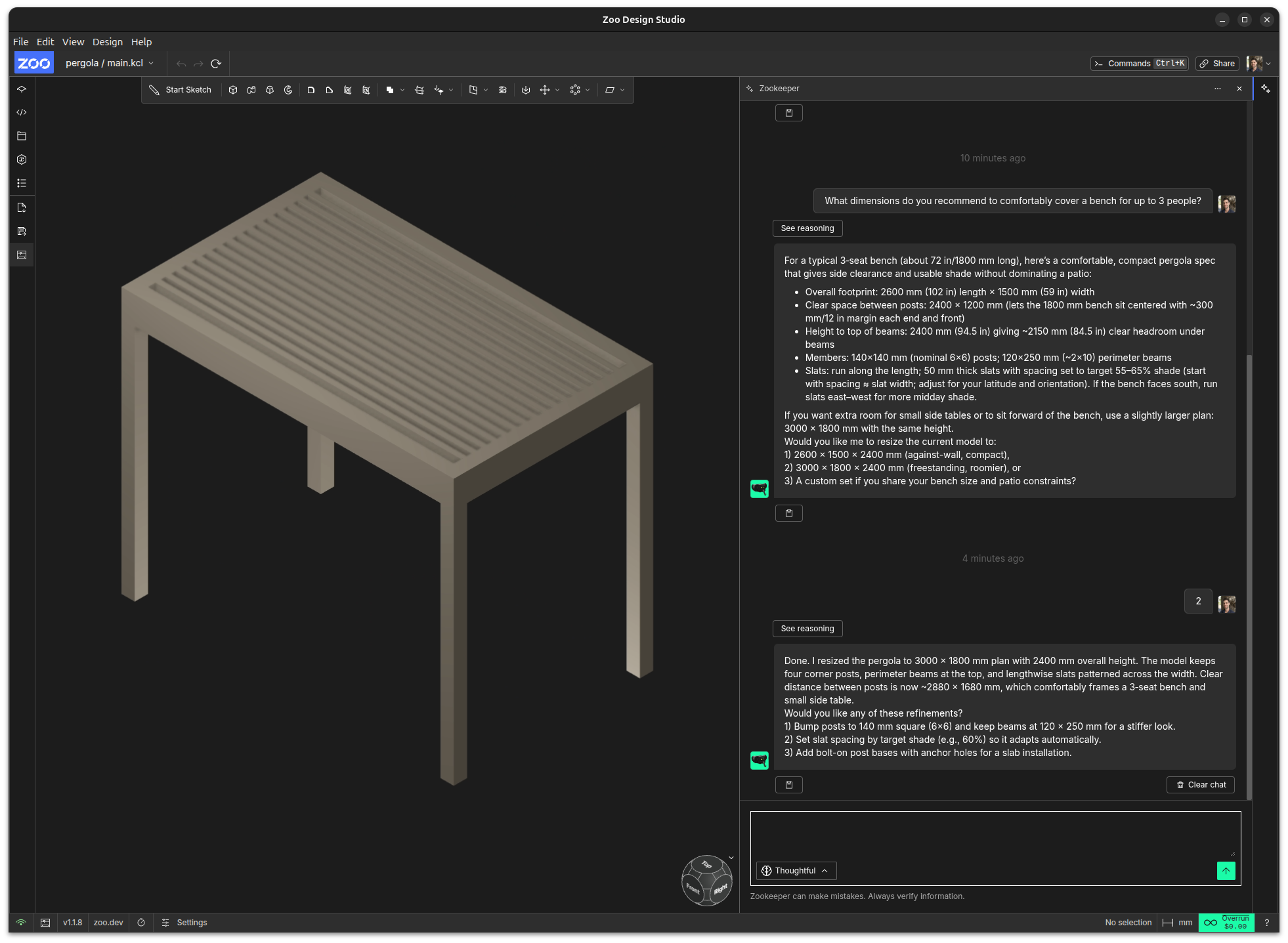
Search the internet
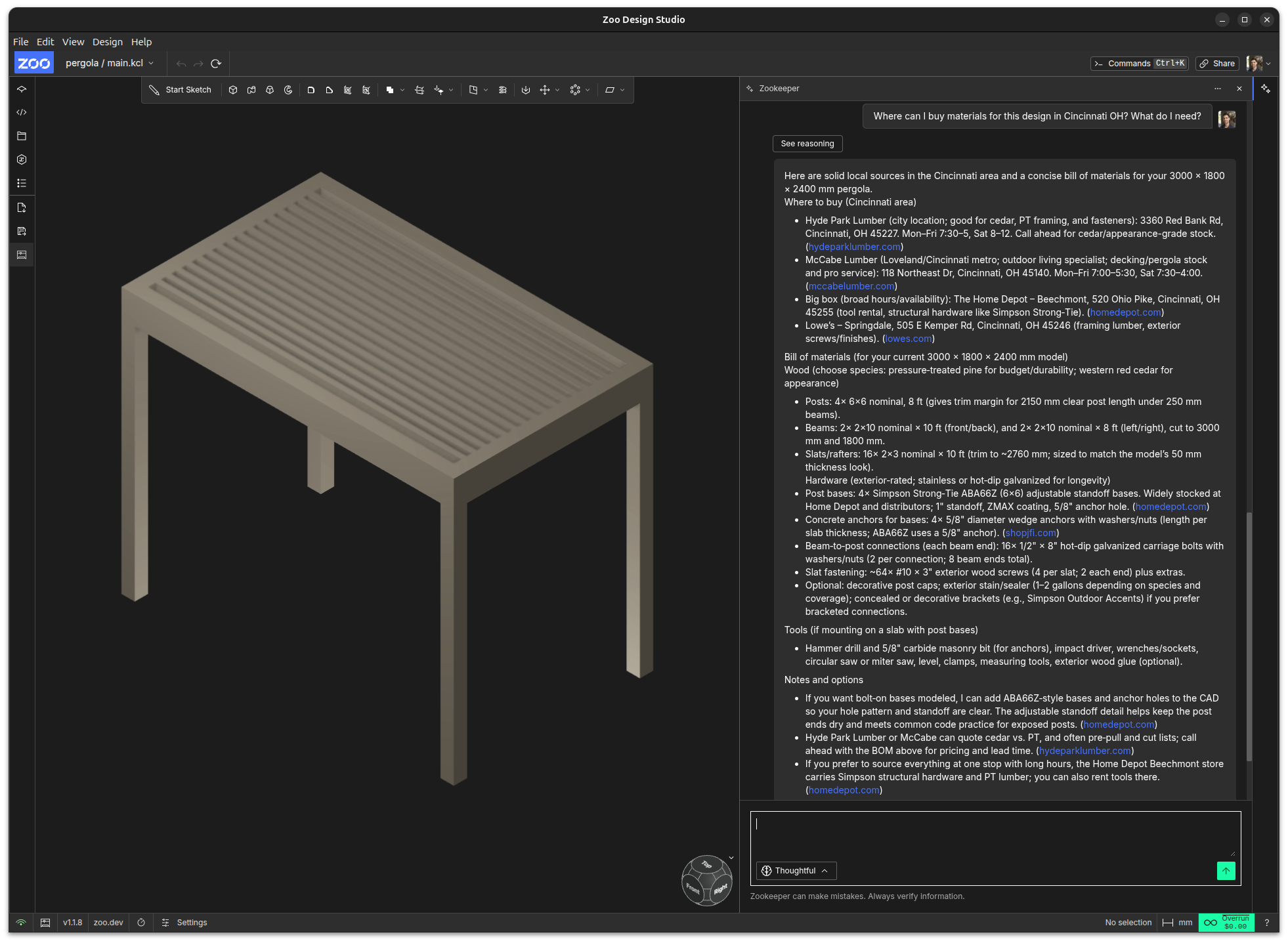
Zookeeper can orchestrate internet searches to ground its responses with real references, such as component datasheets, manufacturing standards, and material specifications.
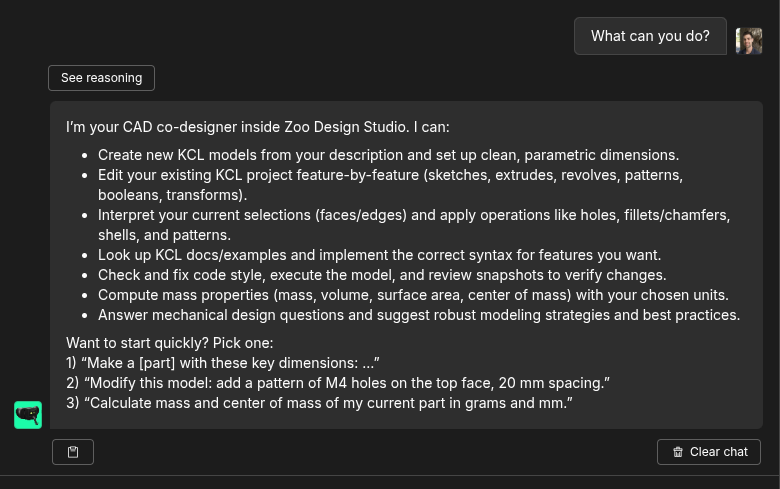
Zookeeper is always improving
For an up-to-date description of its capabilities, you can prompt Zookeeper: "What can you do?":
Which types of files are supported?
Zookeeper is an expert in KittyCAD Language (KCL), which is Zoo's open-source programming language for CAD modeling, and is the native file format for CAD projects in Zoo Design Studio.
You, the human user, do not need to know anything about KCL in order to use Zoo Design Studio or Zookeeper, but advanced CAD users and code-CAD enjoyers may delight in the programmatic control offered by KCL. You can use Zookeeper to write and modify KCL, or as a teacher and reference to guide you as you learn.
Zoo Design Studio supports several standard 3D exchange formats, such as STL and STEP files, so models can be imported from other CAD software. Zookeeper will read, interpret and assemble these standard formats in your project.
Pricing
We offer three subscription tiers: Free, Plus and Pro.
- The Free tier includes $10 per month of credit for Zookeeper usage. Additional usage is available via pay-as-you-go pricing of $0.50 per minute.
- The Plus tier costs $20 per month, includes approximately 400 minutes per month of Zookeeper usage (a value of $200 per month), plus pay-as-you-go pricing for overages.
- The Pro tier features unlimited Zookeeper usage for $99 per month.
For more details, see our blog post: Per-second billing, same price, fairer math.
Last word
I hope you enjoy collaborating with Zookeeper! For tips and tricks for prompting Zookeeper, and more examples of use cases, see our documentation page. To learn more about why and how we built Zookeeper, see our research page.