Hello! March is upon us, so let's do a quick recap of everything Zoo added over the last month! We've added some very exciting upgrades to Zookeeper, built out a lot more surface modeling features, and fixed some long-standing bugs.
Zookeeper file uploads
Last month, we launched our new conversational CAD assistant, Zookeeper! We've given it a major upgrade: you can now upload files like images and documents to Zookeeper! Zookeeper will analyze your files, and incorporate them into your design. This means Zookeeper can basically be your image-to-CAD, your diagram-to-CAD, your PDF-to-CAD, whatever you need! Here are some ways you could use this:
- Scribble a rough draft of your part on a whiteboard or napkin, then take a photo, upload it to Zookeeper, and ask it to reproduce it in 3D
- Give Zookeeper an engineering drawing in a PDF or DXF file, and ask it to make a 3D model
- Take a STEP file from other CAD software and have Zookeeper recreate it as human-readable, well-commented KCL
- Upload your engineering requirements as a PDF, Markdown or text file, and have it analyze them, discuss any changes, then design something that meets those requirements.
You can combine all these different methods together! You can upload a PDF with design requirements, then draw a rough draft on a whiteboard or Microsoft Paint, and ask Zookeeper if the drawings match your requirements. Then have it work with you to build a design. Then you could upload another team's STEP file and ask Zookeeper if the two parts can be coupled together properly.
We're really excited by how rapidly Zookeeper has progressed in just one month. Please let us know how Zookeeper is working for you, and how we can improve it!
Surface modeling: split, delete face, blend and sweep!
One of our big goals for this year is to build a fully-featured surface modeling system in Zoo. Previously we were focused on solid modeling, but we're hard at work on supporting surface modeling too. This month we've added four new surface modeling features: split, delete face, blend, and sweep!
Split takes a target surface, and a tool surface. Then it splits the target surface's faces wherever the tool surface touched them.
For example, here's two cubes: one gold, one purple. We'll split the gold cube, using the purple cube as a tool.
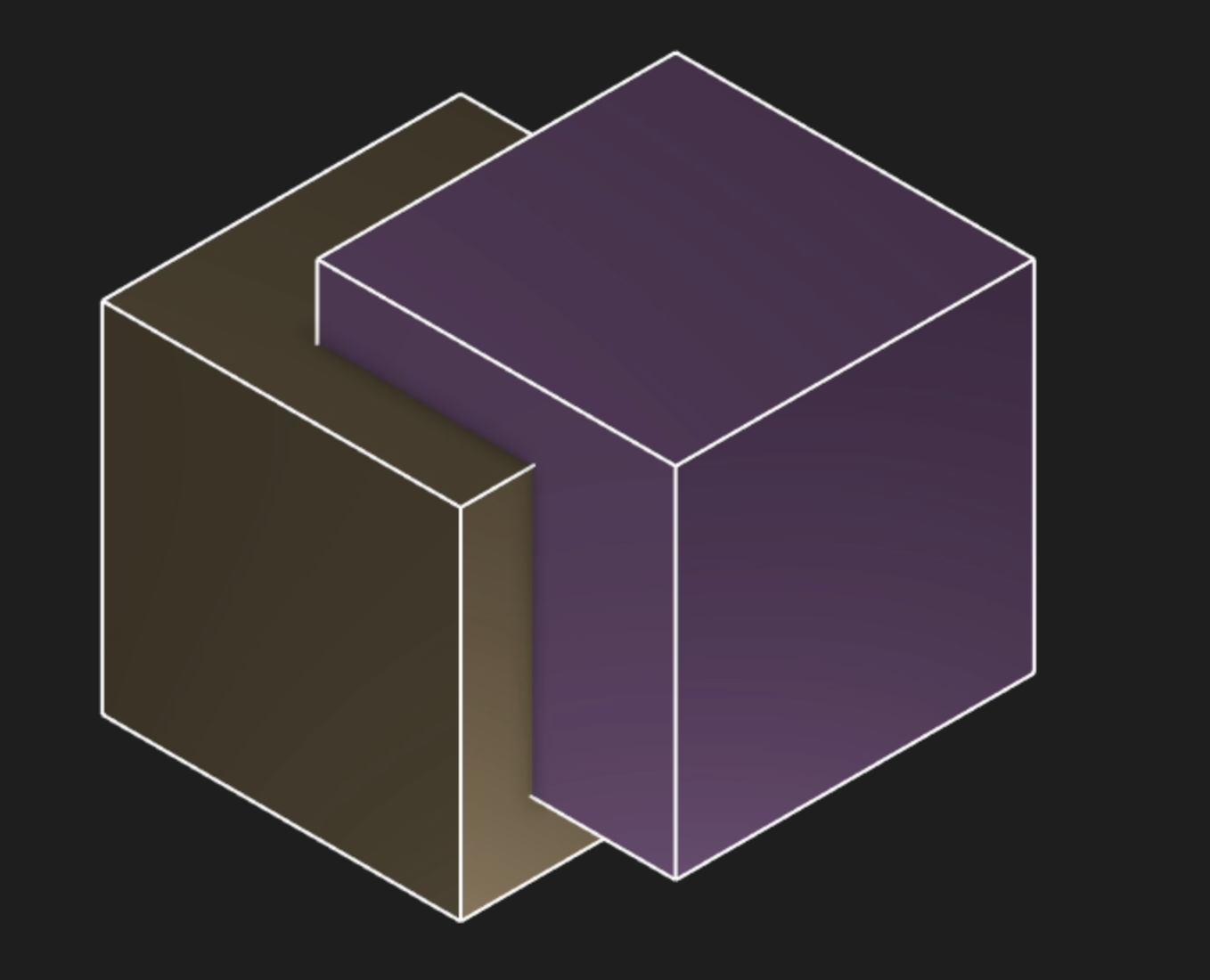
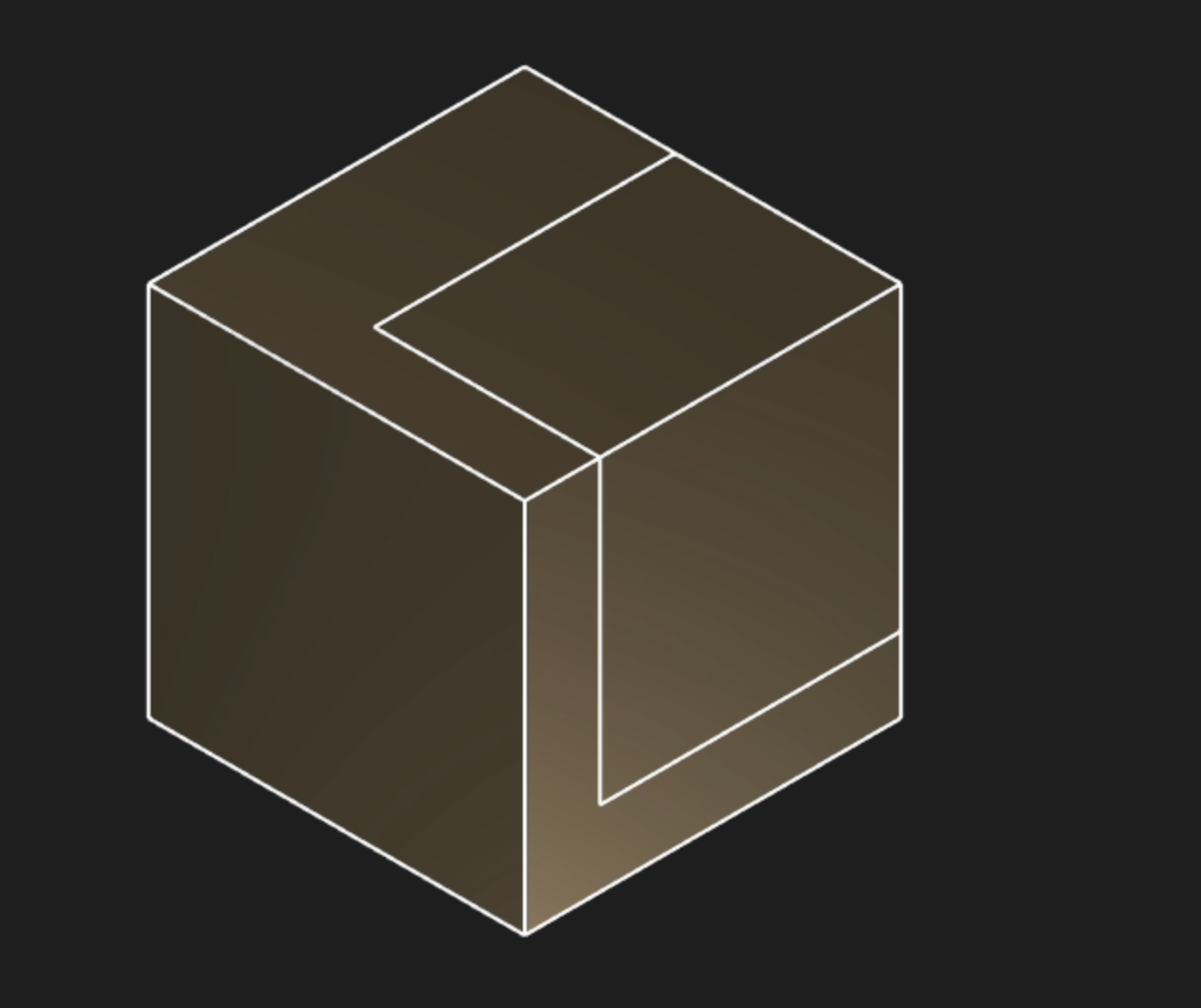
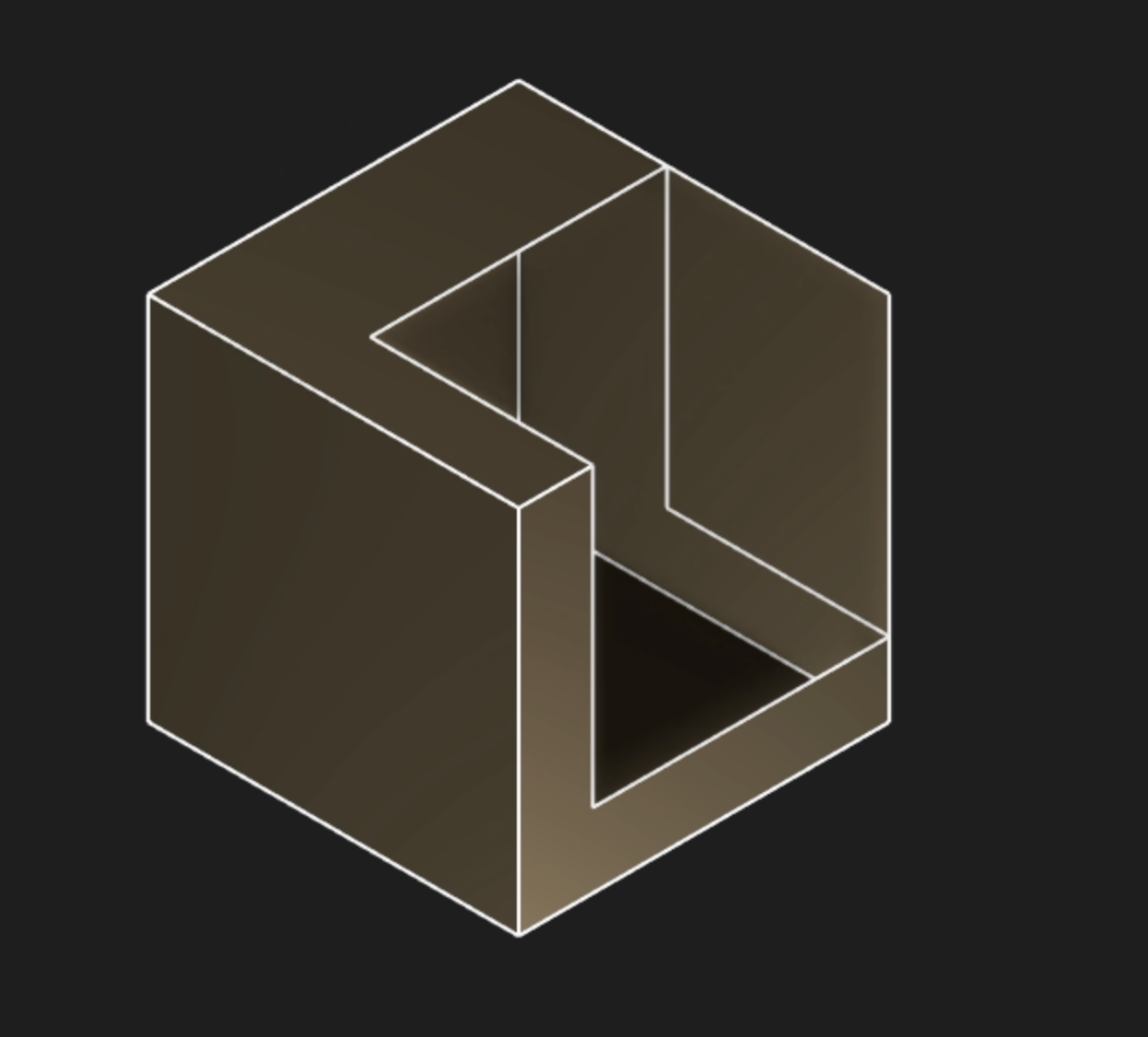
That split the gold cube's faces into multiple faces. We can then use the new Delete Face feature to remove some of these new faces:
Or, we can even treat the cube as two separate halves now, and move them further apart
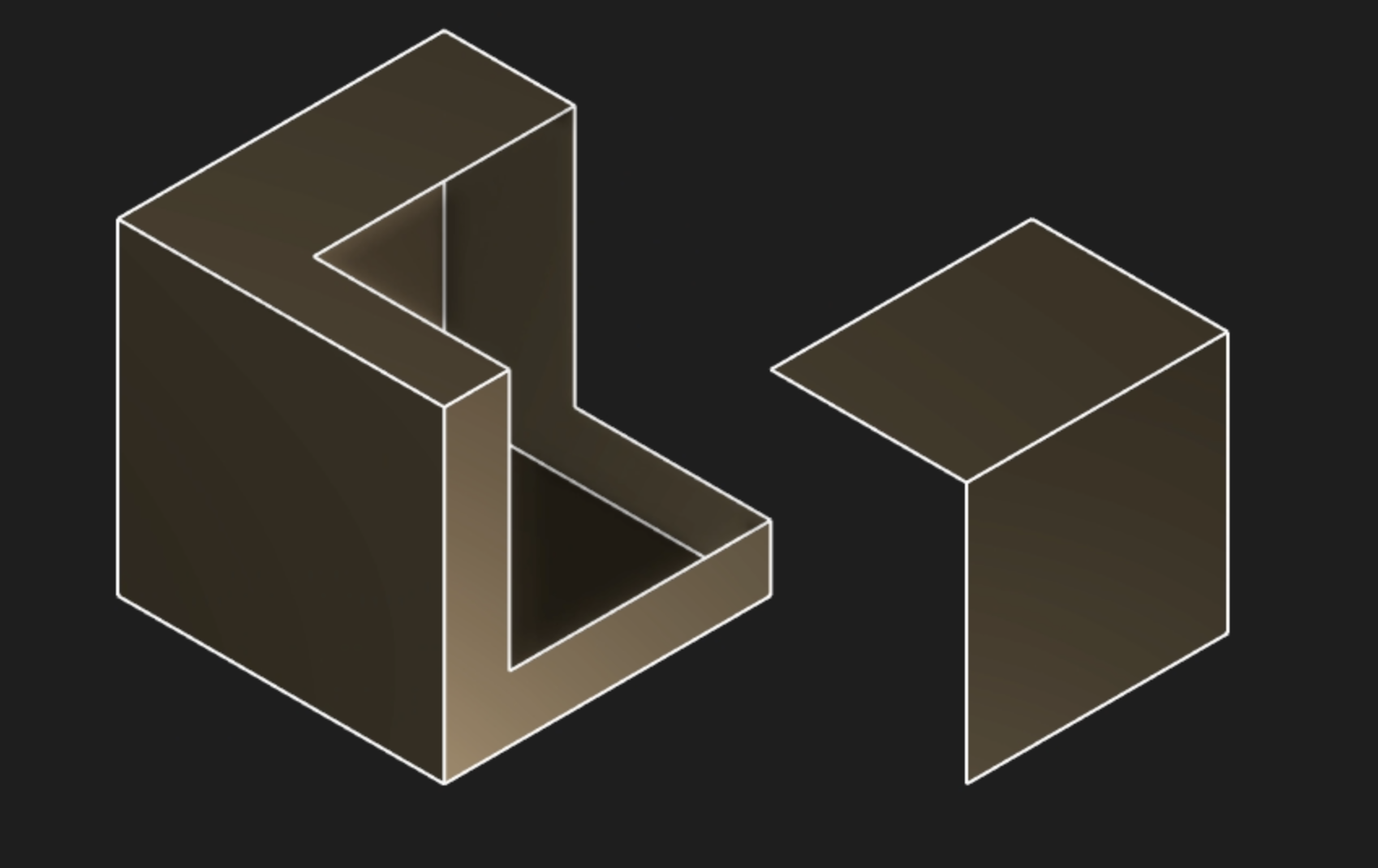
Split is a key part of surface modeling. Congrats to our engine lead Mike for his hard work on this!
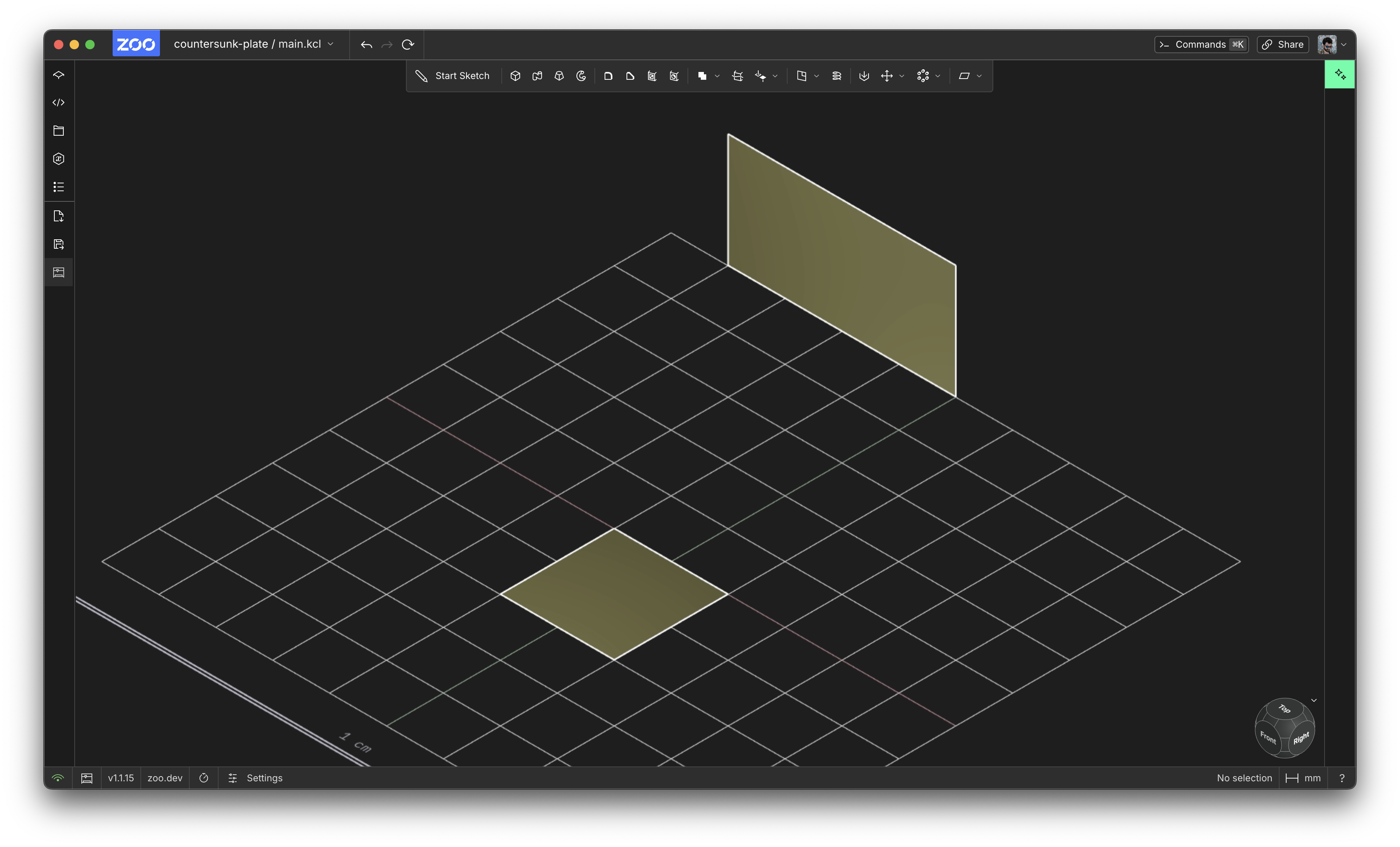
Blend takes a pair of surfaces, and makes a new blended surface that spans them. Here's the two surfaces, and the blend between them.
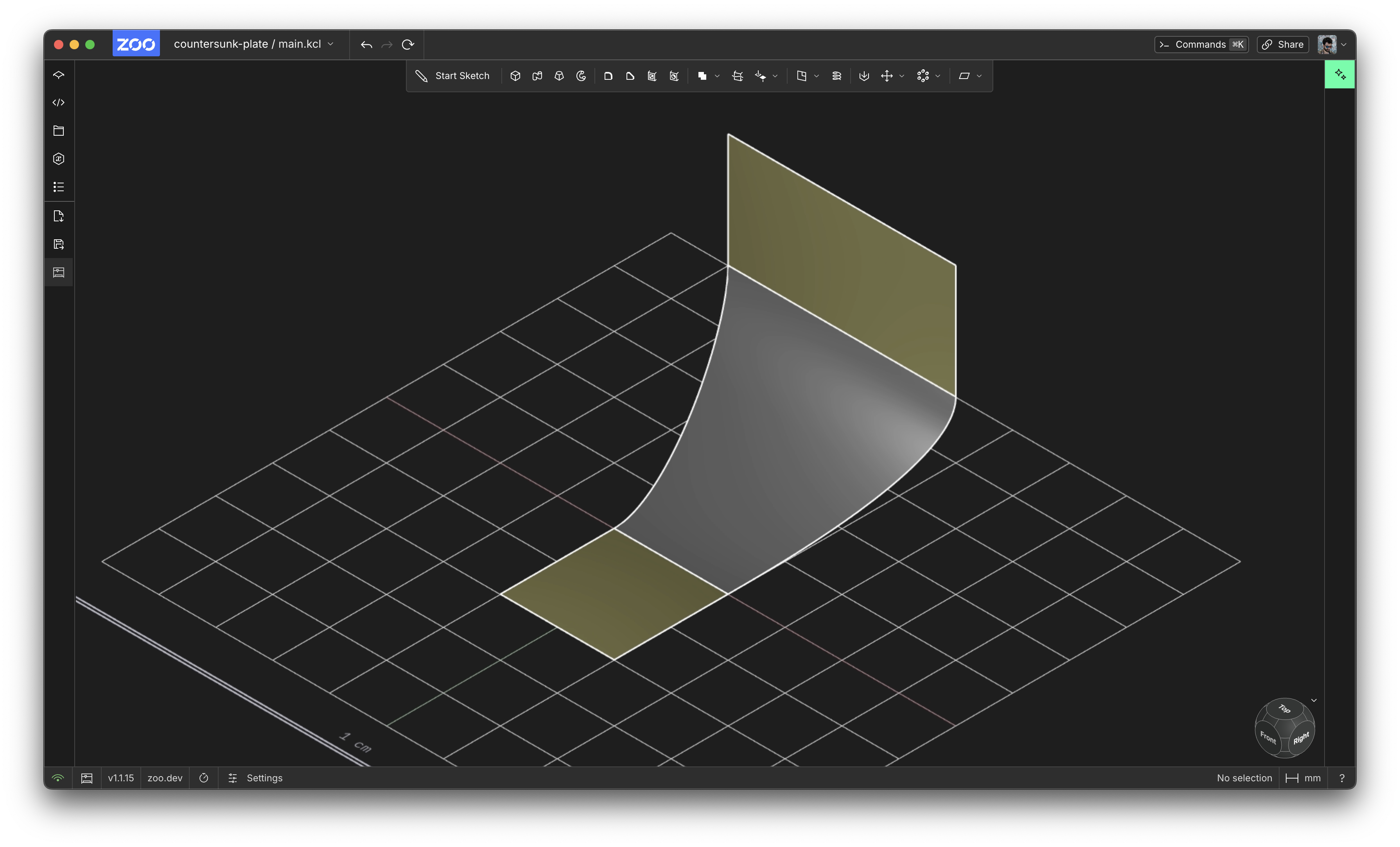
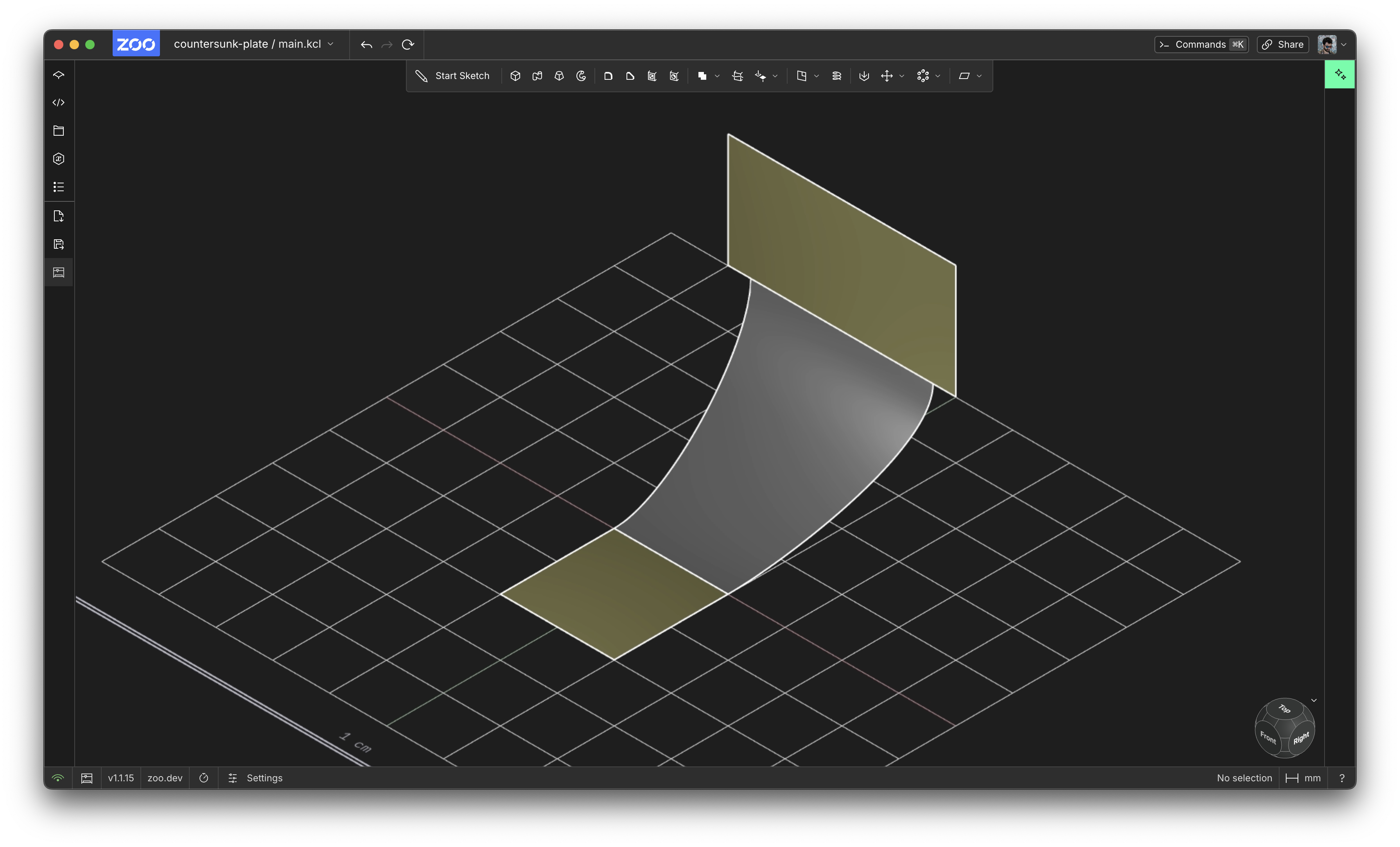
For each surface, you choose an edge, and how much of that edge should get used. The previous example used 100% of its edge, but you can set whatever lower and upper bound you want!
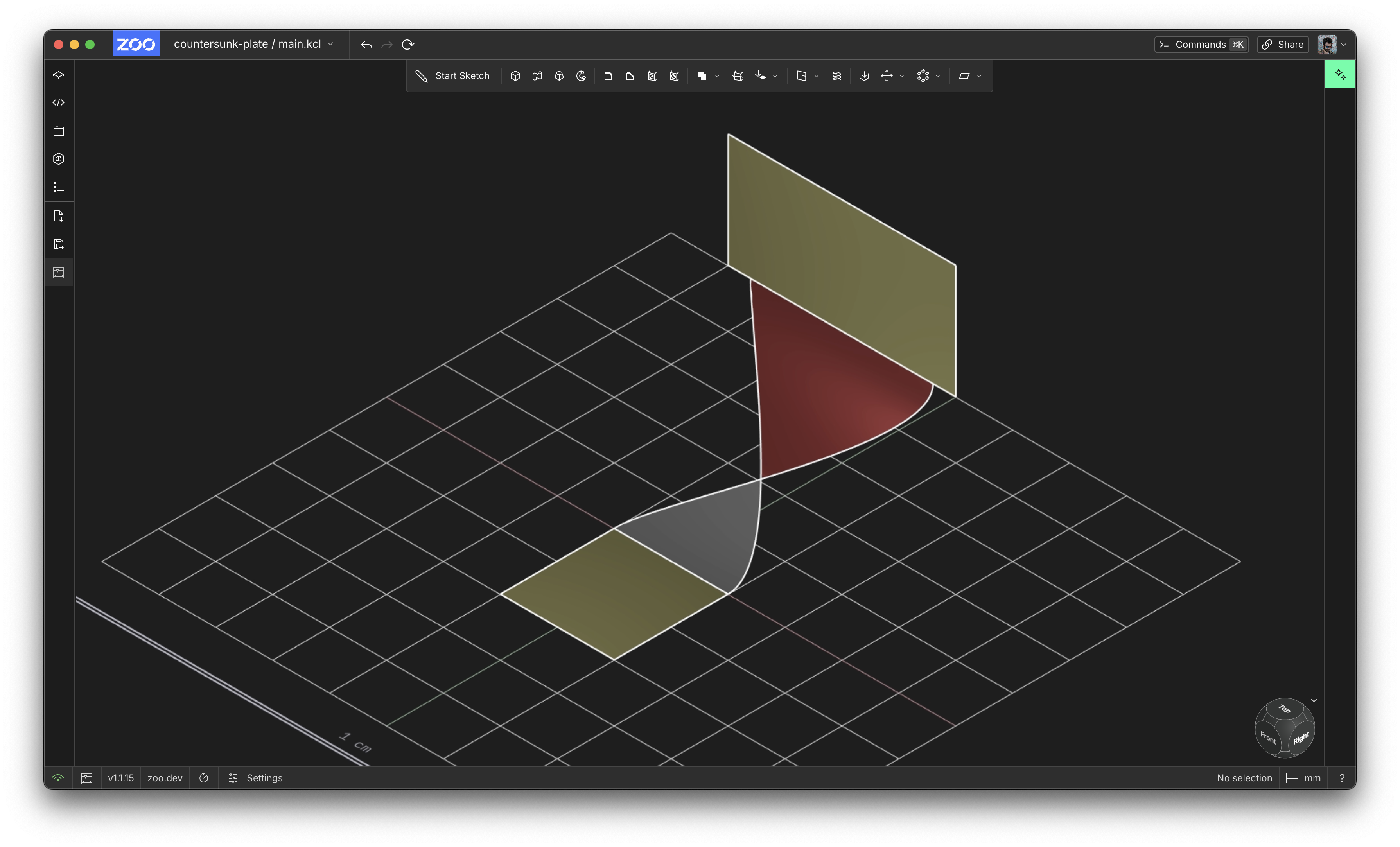
If you set an upper bound which is above the lower bound, the blend will twist around! In this example, you can see the surface's backface. Backfaces are blue by default, but can be customized in settings. I've configured backfaces to be red, like this one below:
Right now we only support blending simple linear (straight-line) edges, but as we keep improving surface modeling, you'll be able to blend all sorts of edges. Congrats to Ben from the graphics engine for building this!
Sweep, also built by Ben, lets you sweep some 2D sketch along an open profile and build a surface out of it. Check out this quick demo:
Transparency controls
You can now make your models transparent! This lets you see inside your models and check their internal geometry looks correct. Here's a demo:
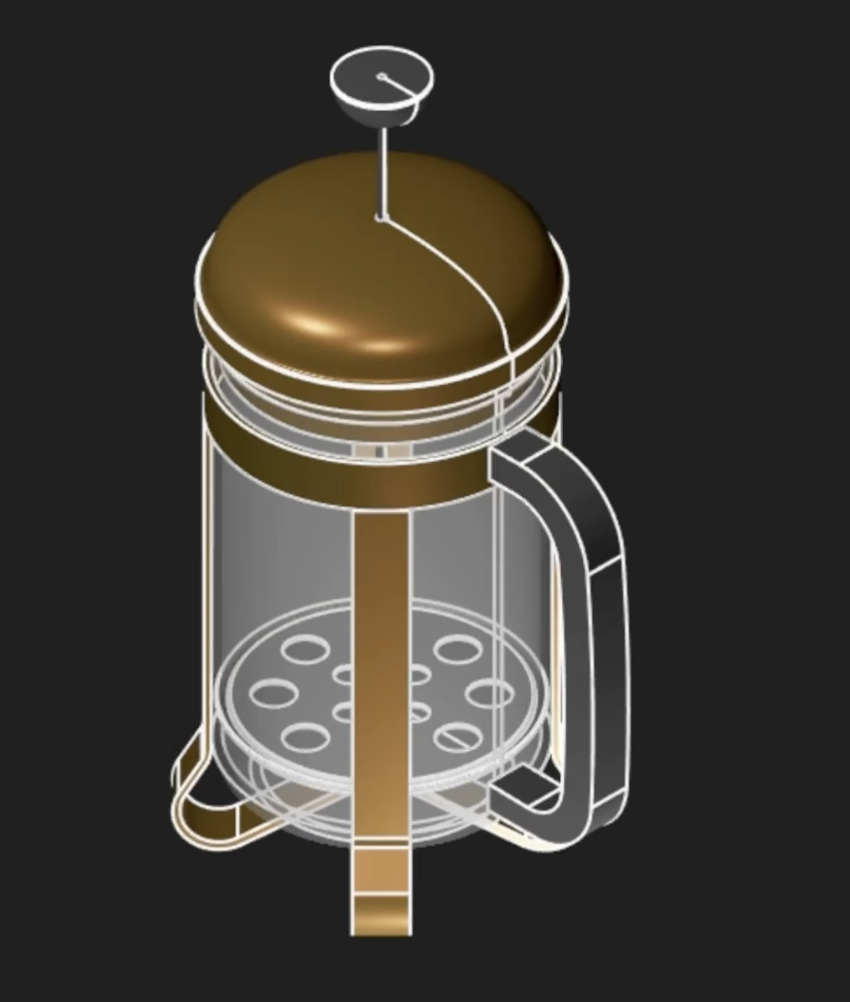
This uses Zoo's existing appearance settings, which let you choose a colour, metalness and roughness. Now you can choose its opacity too! 100 (the default) is fully opaque, and 0 is fully transparent (i.e. invisible). Anything between 0 and 100 will give you a nice translucent view. Have fun checking out the internals of your models!
Fixing unselectable edges
If you're a Zoo power user, you've probably encountered an edge or face that you couldn't select. You'd click on some edge, hoping to apply a fillet, and you'd get the dreaded error message: "Some faces and edges are not currently selectable. The team is working on it."
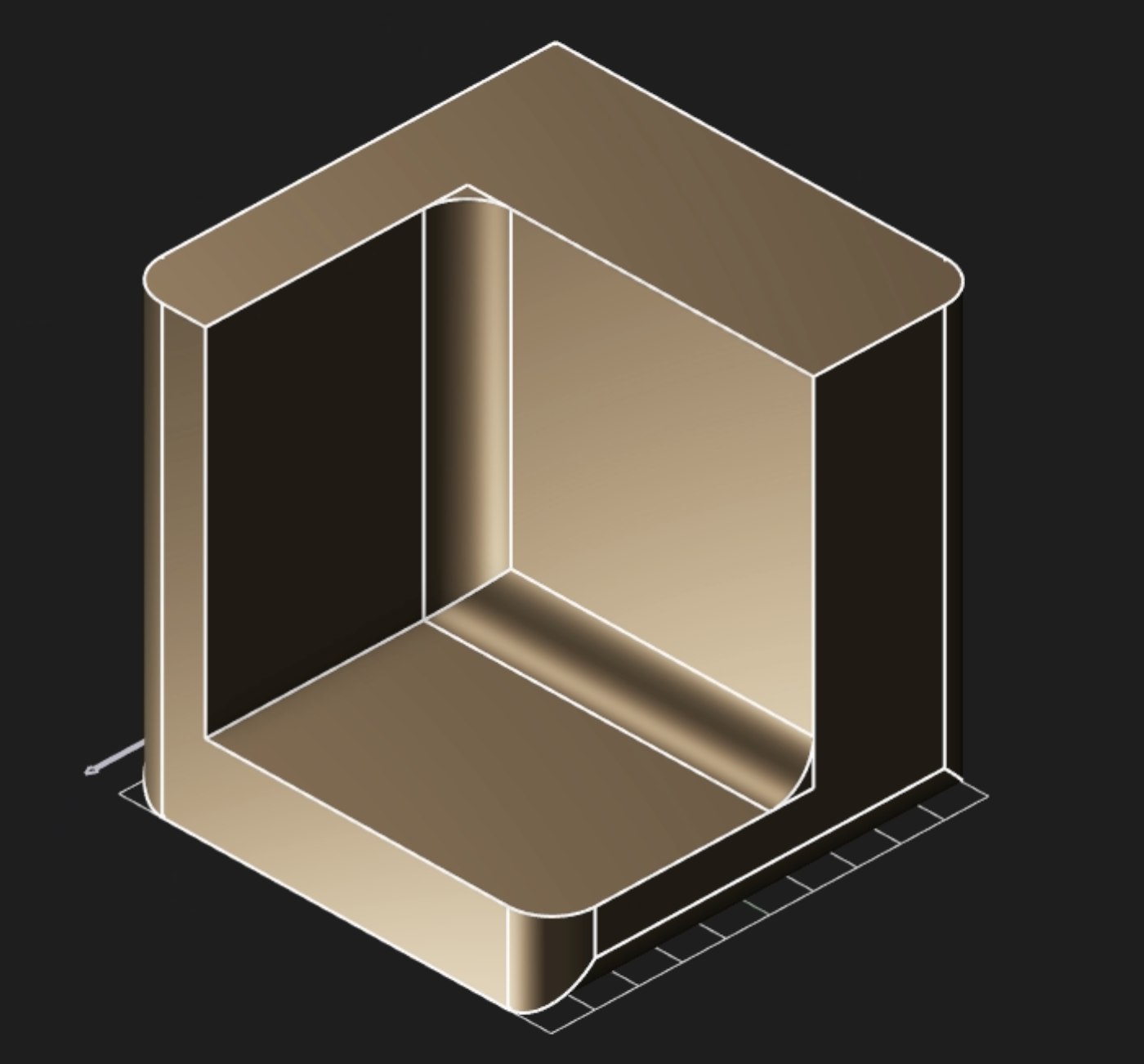
Well, we've been working on it, and we've fixed it up a lot! This month, you'll be able to select edges created by:
- CSG operations (like the edges created when you subtract from a solid)
- Imported geometry (like a STEP file you insert into KCL)
- Shelled faces
Under the hood, this is powered by a new KCL function edgeId which lets Zoo resolve edges that can't be tagged. We know this was previously one of Zoo's big pain points. While we haven't fully eliminated it, you should be seeing a lot fewer error messages, and seeing a lot more beautifully-filleted edges.
Several small KCL improvements
KCL users will have a few new helpful functions, like slicing or flattening arrays, or using clone on an array of solids. You can also import STEP files or KCL files with spaces in their name, with import "my part.kcl" as myPart. We also added a new isNotEqualTo option to assert, to help testing your code. Lastly, we improved the KCL formatter, which was putting some unnecessary spaces inside function calls. That didn't look good, but should be fixed now.
That's all we've got for this month. Thanks for reading and using Zoo!