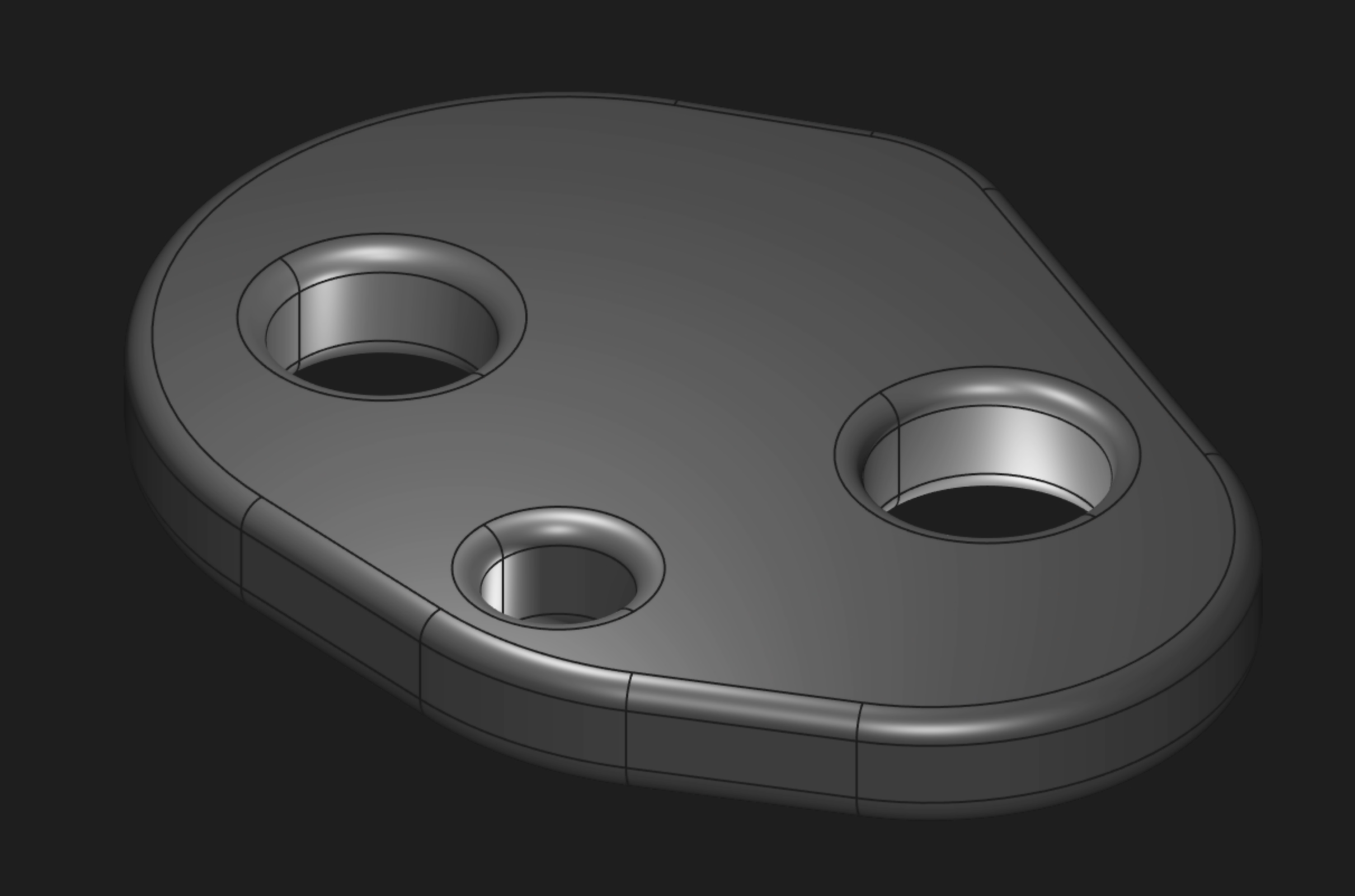
Over the last few months, Zoo has been working hard to improve both the Zoo engine and our CAD programming language, KCL (the "KittyCAD language"). Today we're announcing KCL 3, the newest version of our Zoo programming language and file format. It improves our core 3D operations, like subtraction and fillet, enabling parts like this:
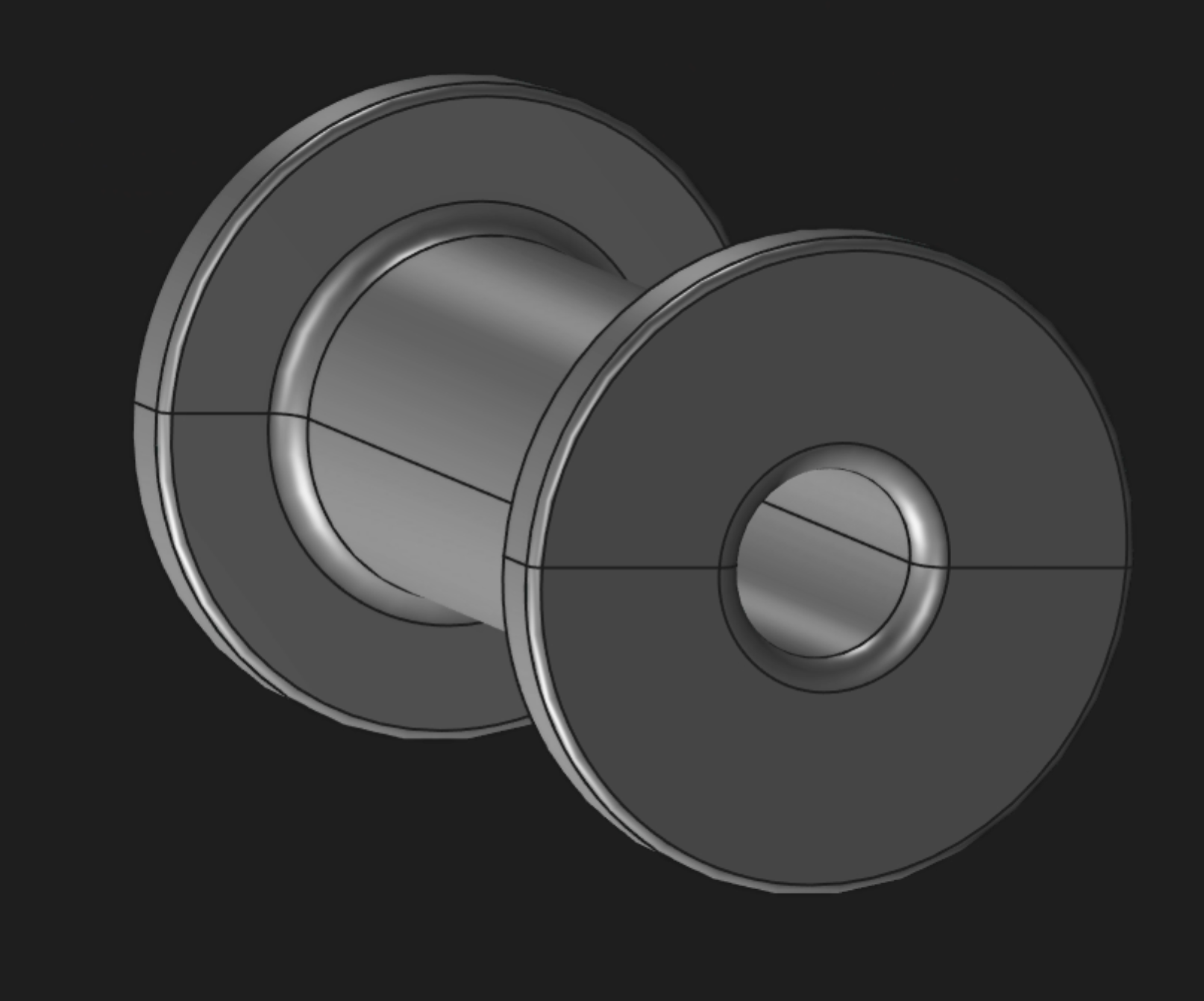
New projects will use KCL 3, which improves our CAD engine and adds powerful new language features. All your existing Zoo projects that use KCL 2 will continue to work just fine, no changes required. You can manually upgrade your old projects from KCL 2 to 3 if you want, but it's not mandatory. Our Zookeeper AI agent can also do the upgrade for you. Read on for more details!
Background: Stability without stagnation
Zoo's users have two implicit expectations of our product:
- Stability: If they close a Zoo design and reopen it later, the design should not change. It should look the exact same as before.
- Improvement: Zoo will continue to evolve over time, getting faster and more powerful.
These two goals are somewhat in tension! If software improves, that necessarily means it changes. And if it changes, that means it might not load your file the same way it used to. This is a trade-off. The more improvements we make in Zoo, the more we risk causing a bug that changes how your CAD files work.
We're trying to get the best of both worlds: Zoo Design Studio updates itself constantly. We're always improving our software and installing new updates in the background for you. But we also try as hard as possible to keep your files stable. Our goal is that when you open your old Zoo files, you should always get an identical model. This is usually easy for desktop software like SolidWorks or Photoshop, which are running the exact same program on the exact same file every time you double-click it. But Zoo connects to a Zoo engine over the cloud, so you're always using the latest version of Zoo Design Studio and the Zoo engine. We carefully test every release to make sure your files always look just like they used to. We know that if you open an old file and find that it's changed or broken, you'd lose trust in Zoo, and probably stop using it. We're being very careful to avoid that.
But, if we always keep Zoo working the exact same as it used to, then we can't improve our software. Say that we ship a new feature that has a bug, and customers start building parts using that new feature. If we then fix the bug, customers models would change. The new models would be more correct -- they wouldn't have the buggy geometry -- but that's not good enough. Users would be understandably upset if their files produced different geometry when they reopened the app, even if the new geometry is better in some ways.
Besides blocking bugfixes, keeping Zoo files the same can slow down development of new algorithms. We're constantly developing new versions of our CAD algorithms so that we can model more kinds of geometry, render it faster, add more complicated features, etc. Sometimes these algorithms cause small changes, like splitting a circular face into two semicircles -- or the opposite, merging two semicircular faces into one. If your CAD model has applied a fillet to edge #17, but that face is now edge #18, this new algorithm just changed which fillets were applied, breaking our stability promise. Thus far we've been very conservative in what kinds of algorithmic improvements we add to Zoo, to avoid breaking customers in exactly this way. This slows down development, and stops us from improving Zoo. Without improving our algorithms, parts like this would be impossible to make:
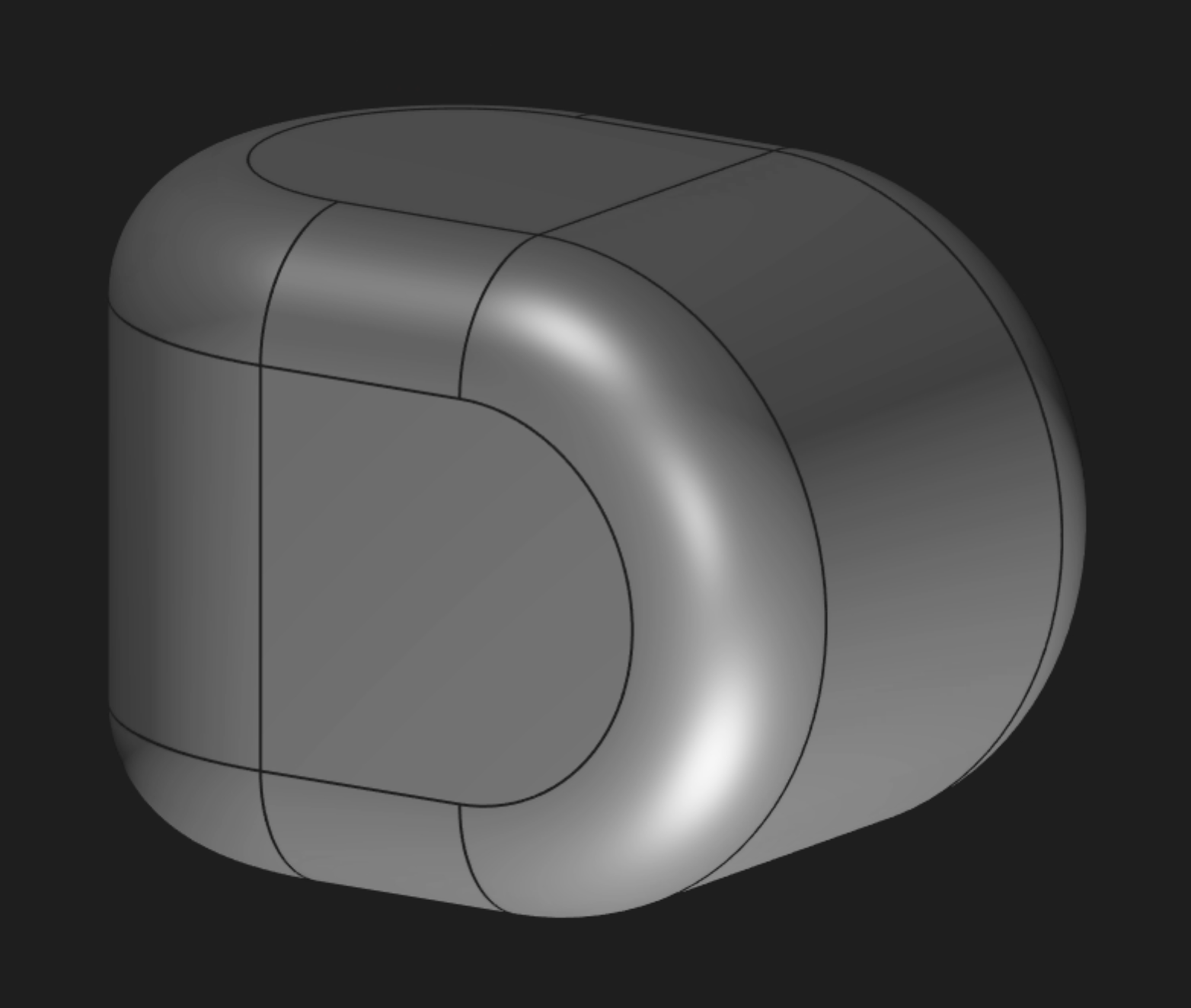
Today we're releasing a new version of the KCL file format, but users are not forced into it. New files will be made in KCL 3 and benefit from all the improvements and bugfixes. Any file written in KCL 2 will stay in KCL 2, and work the same as it always did. Every week, you'll continue to get Zoo Design Studio updates that add new features, without changing how your KCL files work. If you want to upgrade your KCL 2 files to KCL 3, that's your choice -- do it if you want to, when you want to. This is how Zoo will evolve without changing your files. Improvement and stability. You can have your cake and eat it too!
Updating to KCL 3
Today we're releasing Zoo Design Studio 1.5, which supports KCL 3. All your old KCL files -- version 1 or 2 -- will continue to work the exact same way they always have. When you reopen your old KCL files, you'll see the exact same model. But, new files will be created in KCL 3 by default, which means your new files will get better versions of our algorithms, and some bugfixes.
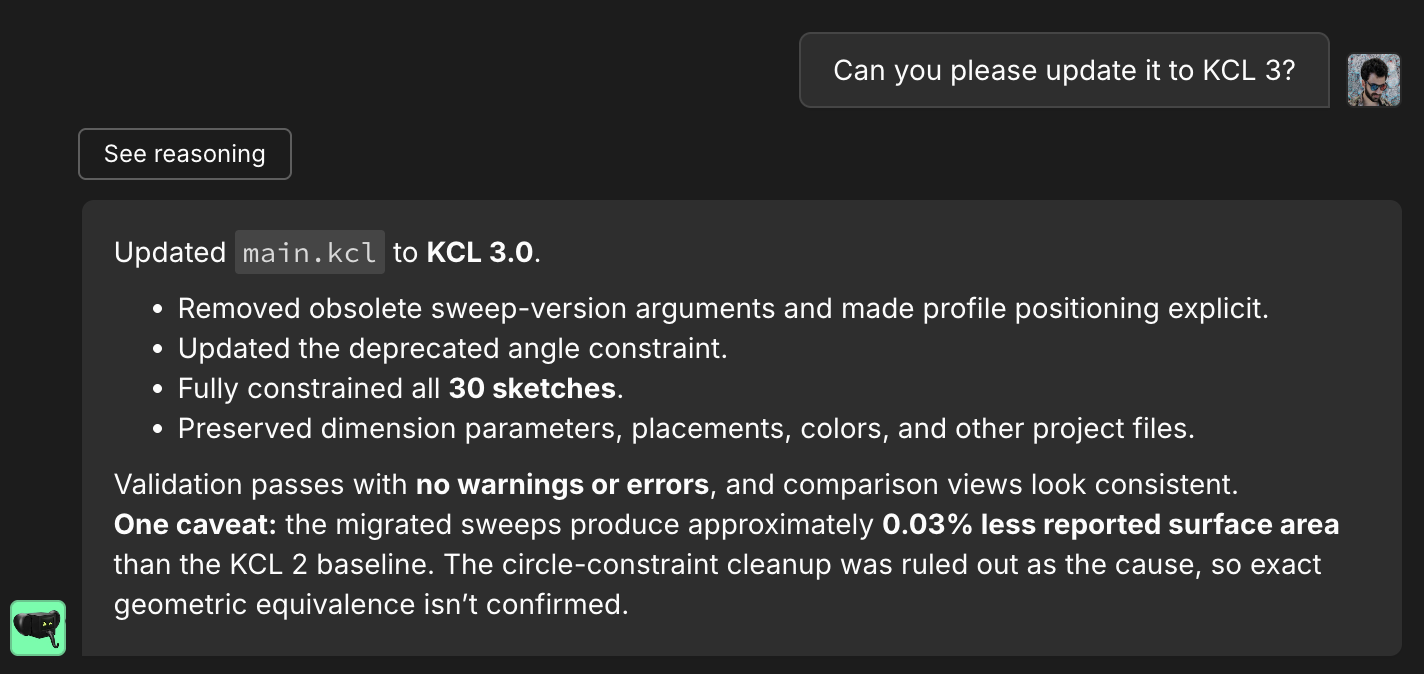
If you want to update your models to KCL 3, you can read our migration guide or ask Zookeeper, our AI agent for CAD. Zookeeper can refer to many example KCL 2-to-3 migrations, it's read the migration guide, and it knows the KCL standard library inside and out. Zookeeper can also compare your model before and after to detect any unintended changes. We think this ML-powered migration will make migrating to new versions of KCL much easier!
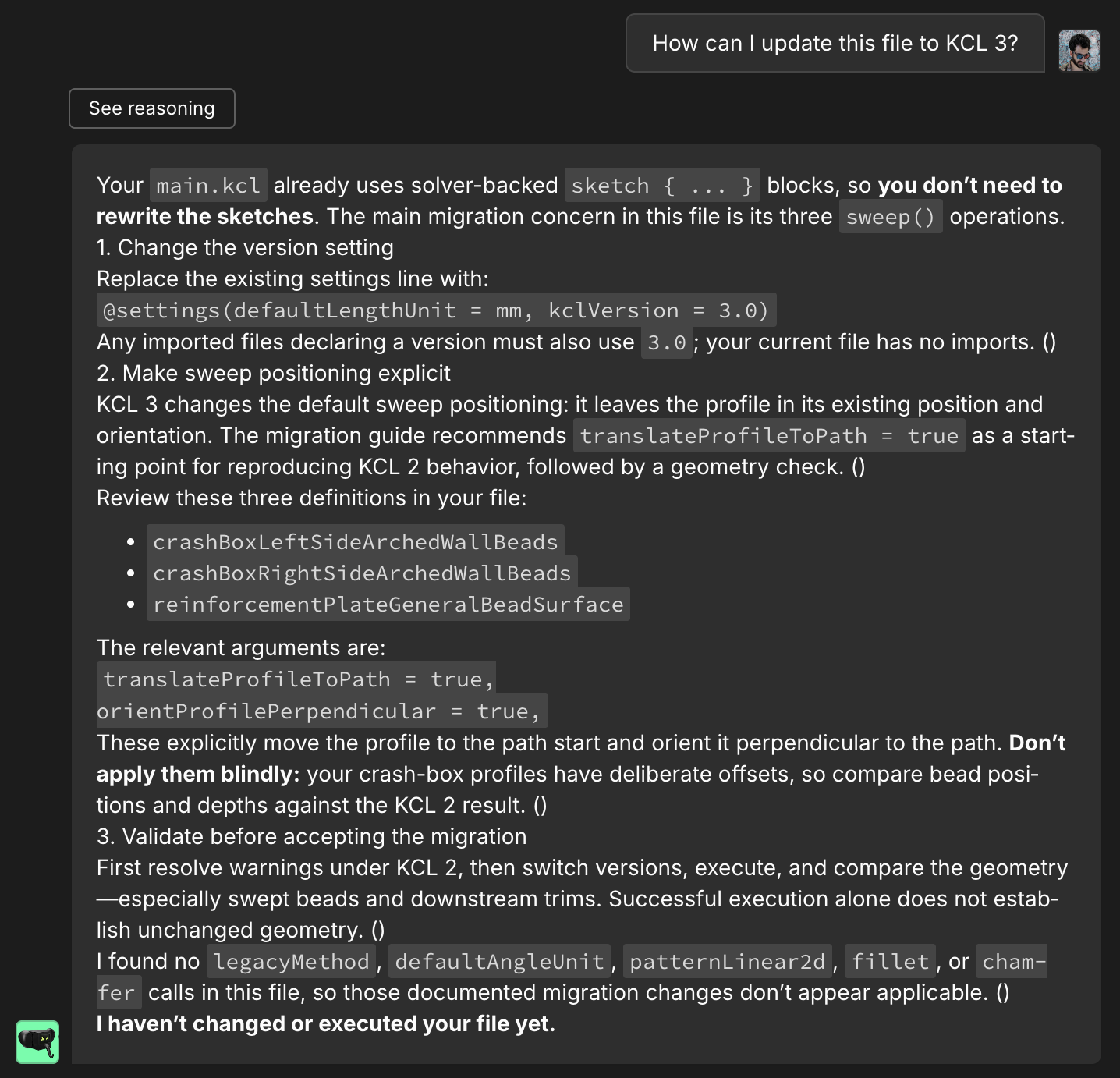
We'll soon be adding a dedicated "Update to KCL 3" button, but for now, you can just chat to Zookeeper and ask it.
KCL 3 features
The headline improvements in KCL 3 are:
- Improved 3D boolean operations (intersect, subtract, and union). You'll see the dreaded "The Zoo engine cannot handle this 3D subtraction yet" error less often in KCL 3. Further improvements still to come in KCL 4.
- Much more powerful fillets! In KCL 2, a lot of edges would give you an error when you tried to fillet them. In KCL 3, many more edges can have fillets. Also, fillets now "chain" onto any tangent edges, making it easier to fillet your whole part. Tangent chaining is optional, but defaults to on. You can explicitly disable it for a given fillet if you want.
- A new API for selecting edges, which is both more powerful and easier to use than our previous
getNextAdjacentEdgeandgetOppositeEdgecommands. You can learn more in the new KCL book chapter explaining it.
Here's a full comparison, showing the limits of fillets in KCL 2 and how KCL 3 fixes them:
For the people who are still writing code by hand (yes, we exist, and we matter!), KCL 3 adds support for enums, a really useful feature that any serious programming language needs. We only support basic enums right now, like simple C-style enums which define a finite set of values. But we'll be extending enums in the future, adding algebraic data types (tagged unions, or Rust-style enums).
We made a lot of other small changes to the language, around rules like reserved keywords (which can't be used as variable names), scoping, execution order, etc. These little papercuts have been accumulating since we started working on KCL back in 2023, and this is the first time we've shipped a breaking language change, so it's been our first chance to fix them. If you're interested, you can read our migration guide for more.
The Future
We've already started work on KCL 4. We expect KCL 4 will have support for manipulating assemblies (so you can position 3D bodies relative to each other, constraining certain faces to be touching, concentric, etc), and even better algorithms for fillets, chamfers, intersect, union, subtract, etc. We're excited about the future of Zoo. We're aiming to both keep Zoo stable, and keep improving it. KCL 3 is our first big update in this style, and we're excited for KCL 4 and beyond. Keep making awesome stuff, and we'll keep making awesome tools to help you.