@kittycad/web-view
You've played around with the
CLI, and wrote some code that interfaced with
@kittycad/lib, and now you start
to wonder - how do I build my own tool that can show CAD models?
Very easily - with @kittycad/web-view.
For more information on how to use it, read the README.
This is the primary component that drives the Zoo Viewer tool as seen below (designed for inspecting models more deeply than just a quick peek).
In the following screenshot, @kittycad/web-view is only the model-displaying
portion of this. All the extra functionality, such as the feature tree, results,
and X-Ray mode are built around this component.
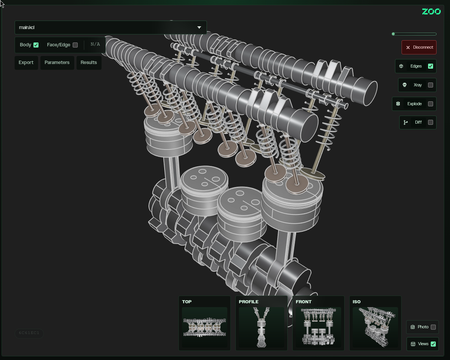
In the future we plan for Zoo Design Studio to also use this component, so you can count on behaviors to be the same across all Zoo tools and products.
If you want something closer to Zoo Viewer immediately today, you can iframe embed a self-hosted version.
It's intended to also eventually bring over more compositional packages that
can work on top of @kittycad/web-view to get more functionality, like
XRay-mode or Feature trees.