Hello! We skipped last month's update due to end-of-year holidays, so this What's New With Zoo is a double-sized special covering everything we added over December and January.
Zookeeper
This week, we launched our new conversational CAD assistant, Zookeeper! Read all about it at our announcement, our getting started page, or our research paper.
Surface modeling
Zoo has always focused on solid modeling, which uses closed 3D solids that enclose space within them. When you model a solid cube, its volume includes all the space inside the cube. Solids are the main way people think about 3D objects in mechanical engineering, automotive and aerospace engineering, i.e. fields where an object's weight matters.
Starting this year, Zoo can work with both solids and surfaces. A surface is a 3D shape that's infinitely thin. Basically, imagine surfaces are infinitely-thin tissue paper that can be twisted and folded in all sorts of ways.
In Zoo, you usually create 3D bodies from 2D sketches, using extrudes, revolves, sweeps and lofts. These operations now support creating either solid bodies, or surface bodies. For example, here's what happens when you solid extrude and surface extrude a square.
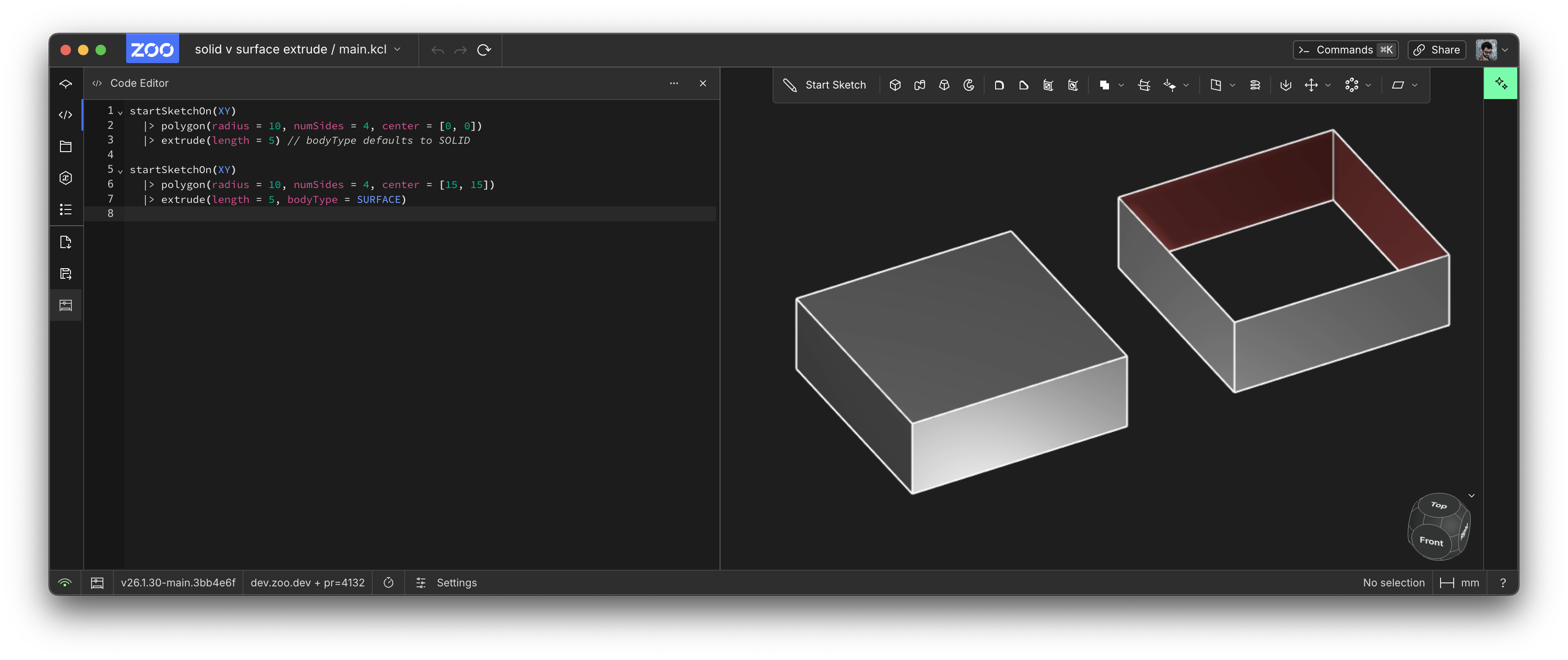
When you solid extrude, you create a solid cube, that encloses all the space within it. When you surface extrude, each line in the profile gets extruded upwards into a very thin surface. This means you've created an open body, which doesn't enclose any space. The surface extrude creates 4 surfaces (one for each of the 4 lines in the square). Each surface has a front (silver) and a back (reddish).
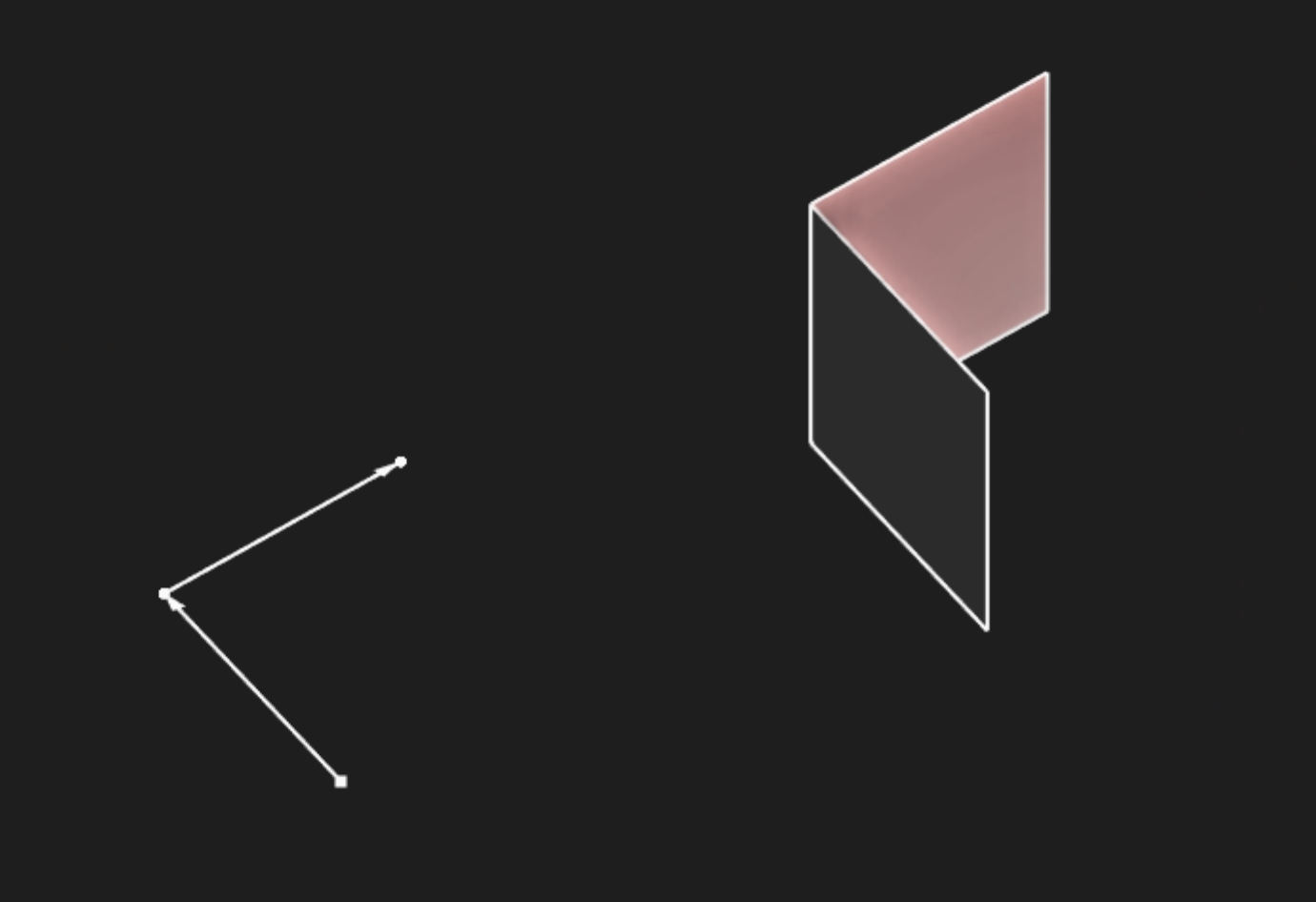
You can only solid extrude a closed profile, like a circle, or square, or any other sequence of lines that loops back on itself. But you can do a surface extrude of an open profile, like this:
Beyond just extrudes, you can do surface modeling with revolves and lofts too! In the sample below, we revolve a circle into a half-donut shape.
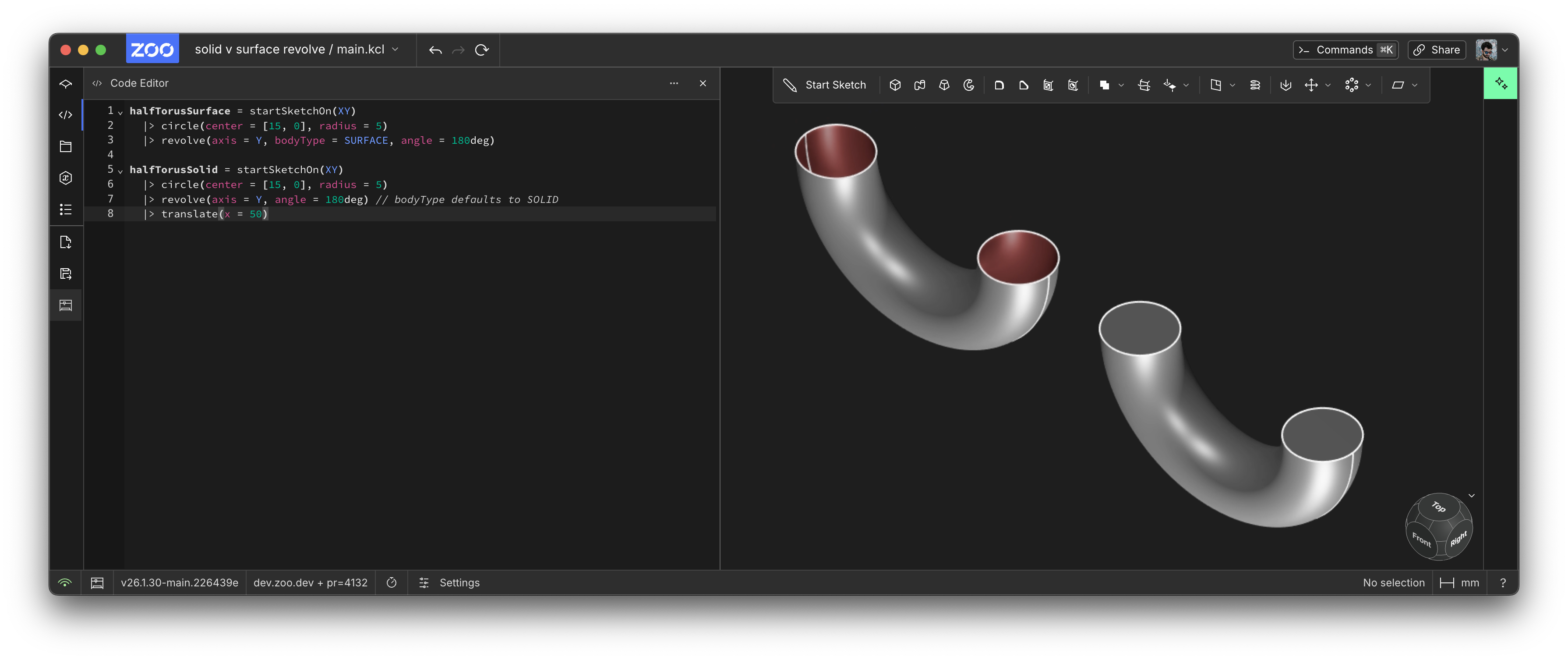
The surface revolve creates a hollow tube, because the surface revolve doesn't enclose any space. The solid revolve is totally filled in. If we revolved the circle 360 degrees, both revolves would make a donut shape. But the surface-revolved donut would be hollow, and the solid-revolved donut would be completely solid all the way through.
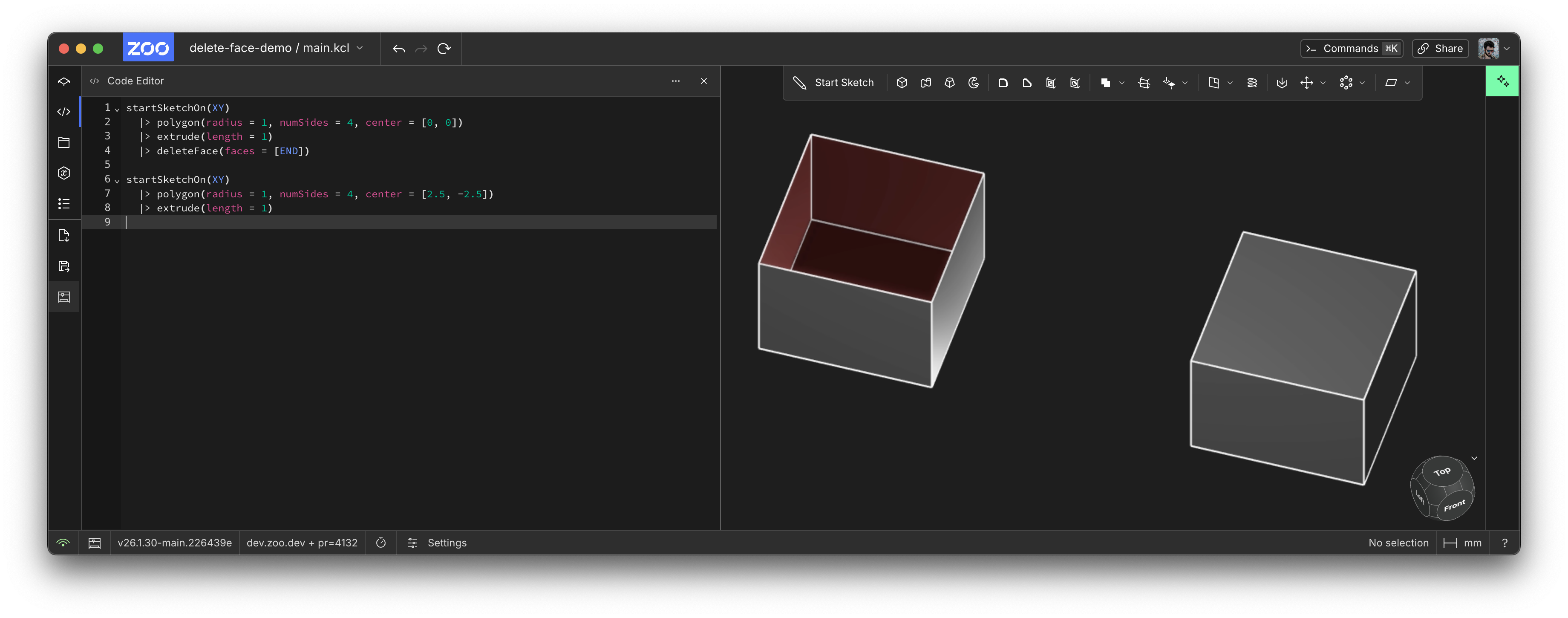
If you delete a face from a solid, you'll probably open up its volume, converting it into a surface (well, technically, a polysurface, i.e. a body with multiple surfaces). In this example, we start with a solid cube, then delete a face to make it into an open box.
Surface modeling is useful for designing the exteriors of cars, for consumer products, and for complicated organic shapes. We're adding lots more surface modeling features to our custom in-house CAD kernel, so expect to see blends, trims, splits, etc in a future update.
Extrude faces
Previously in Zoo, you've been able to extrude a sketch. You could even sketch on a face, then extrude that sketch. But you couldn't extrude an entire face. This is quite annoying! But our graphics engineer Serena has fixed this! This enables a lot of geometry that was previously nearly impossible to make in Zoo. Check out this quick demo:
Extruded faces still have a few limitations, for example, you can't select the faces created from these extruded faces (yet). We're working on making these feel like any other face in Zoo. Stay tuned!
Self-hosting
Zoo Design Studio now supports self-hosted Zoo engines! We've got the Zoo backend live and running in customer data centers. That includes the Zoo CAD kernel, our API, and our ML services. So if you're an enterprise customer, you can now run all these services in your own trusted infrastructure, instead of our cloud offering. Learn more at zoo.dev/enterprise.
Changed: Default orientation for imports/exports
Previously, if you import geometry, we assumed it was imported in Y-up orientation. That's how we exported the geometry too. Now we're changing the default for both importing and exporting geometry to assume Z-up. If you want to keep the old behaviour, you can opt into it with this KCL annotation:
This aligns ZDS's defaults with what our users expect, and what most CAD software does.
Drag-and-drop files
When you open up the File Explorer in ZDS, you can now drag-and-drop files into it! This is useful for adding other 3D files, like a .step or .obj or other .kcl files as modules.
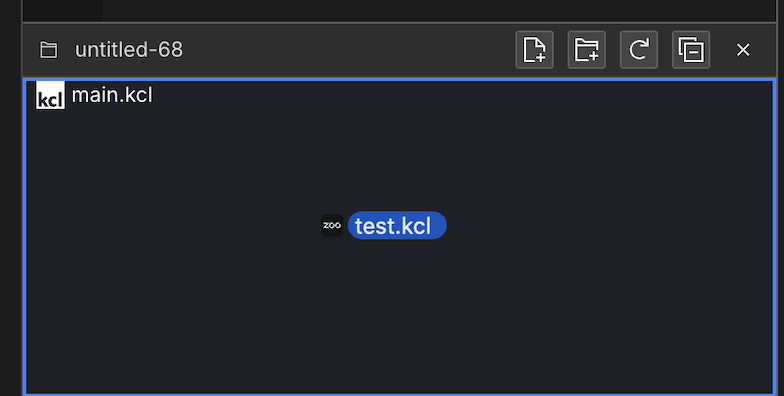
Thanks to Andrew's PR!
Pattern speedup
Patterns are how you repeat geometry in Zoo.
Here's an example Zoo model that uses patterns to make a lego brick with 30 bumps.
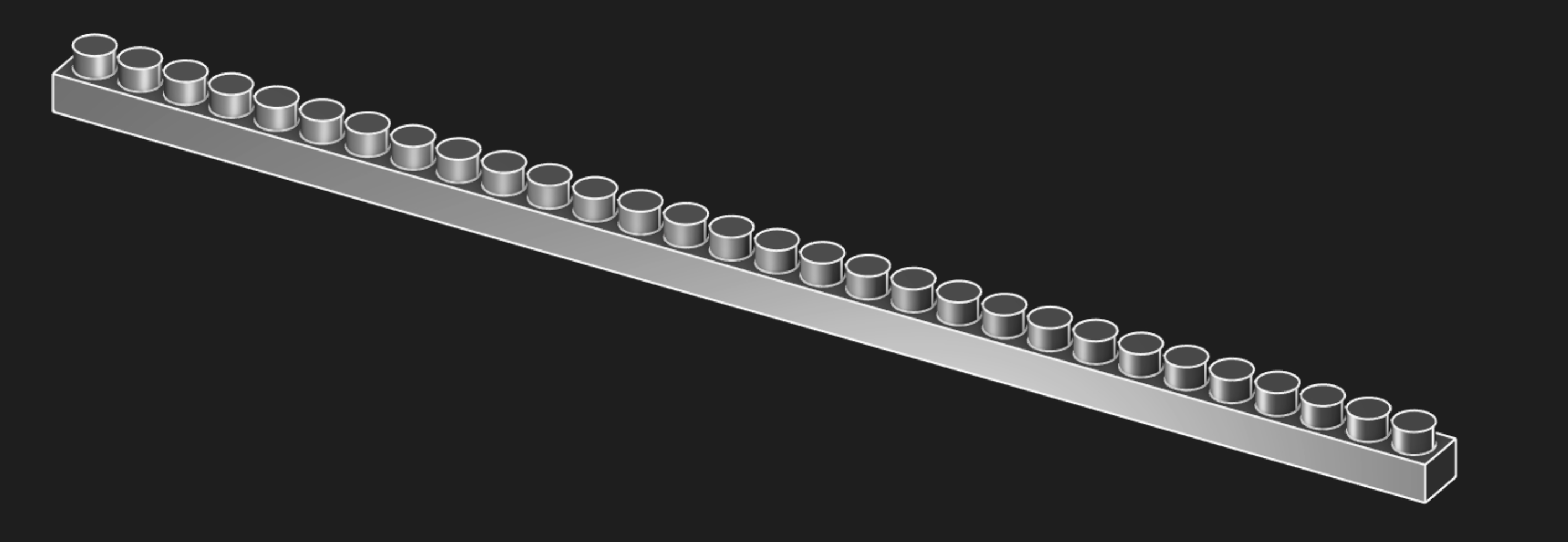
Jess, our CEO, and Mike, our lead CAD kernel developer, collaborated on how to speed up this model. Patterns like this, which repeat a solid which is sketched on a face, then extruded with method = MERGE, are a lot faster now! Previously this model took 4.8 seconds to run, but now it only takes 0.9 seconds. That's a massive speedup! Patterns are really important for complicated geometry, so we're glad they're getting faster and faster.
The KCL for this program is here:
Recursion in KCL
KCL now supports recursion! This lets you define more complicated functions in KCL. Here's a quick demo showing some mutual recursion.
KCL samples website redo
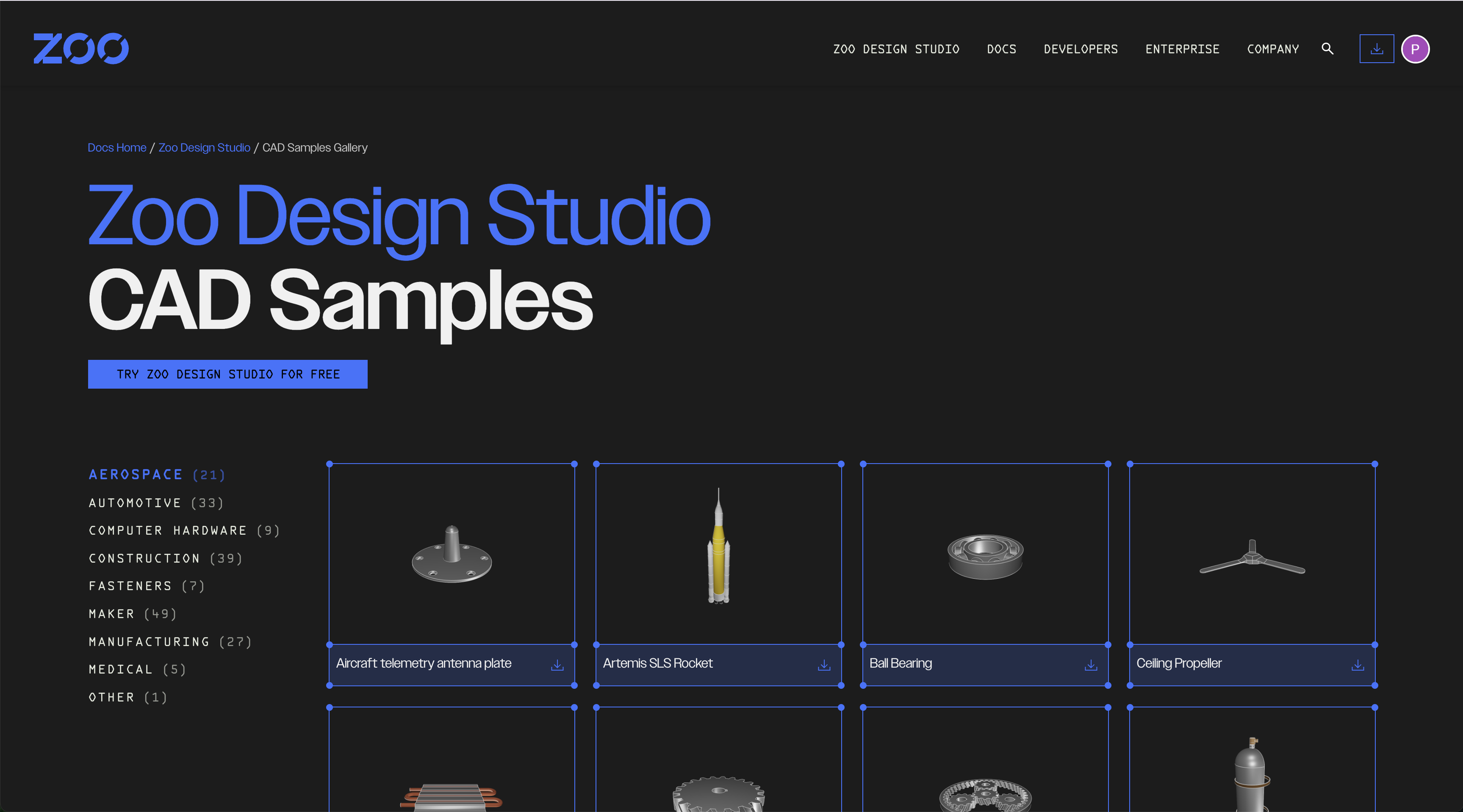
The KCL samples page has been completely redone. It looks and functions much better than before!
Here's the samples homepage before:

And after:
And here's what it looks like to view one specific sample, before:
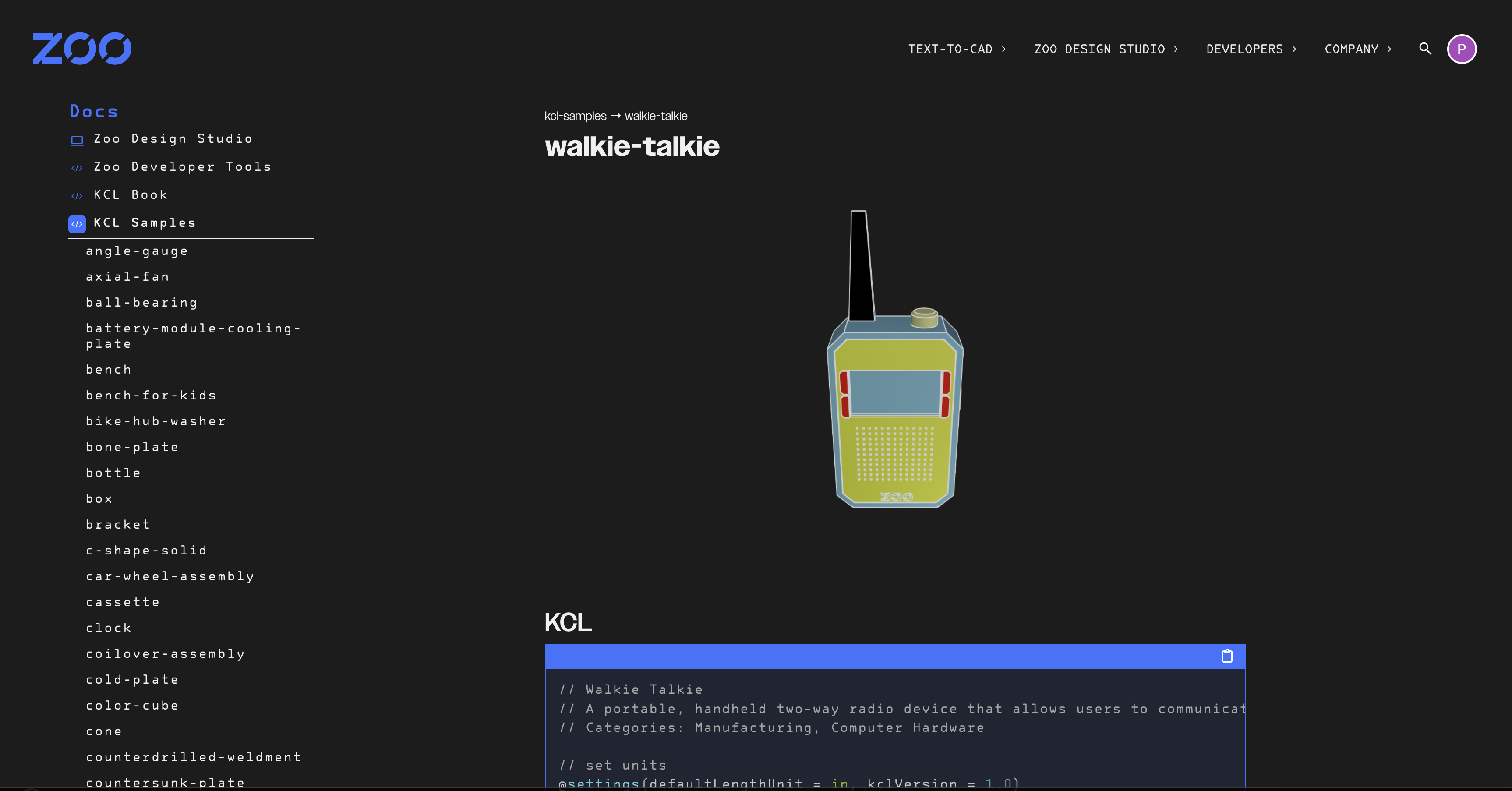
And after:
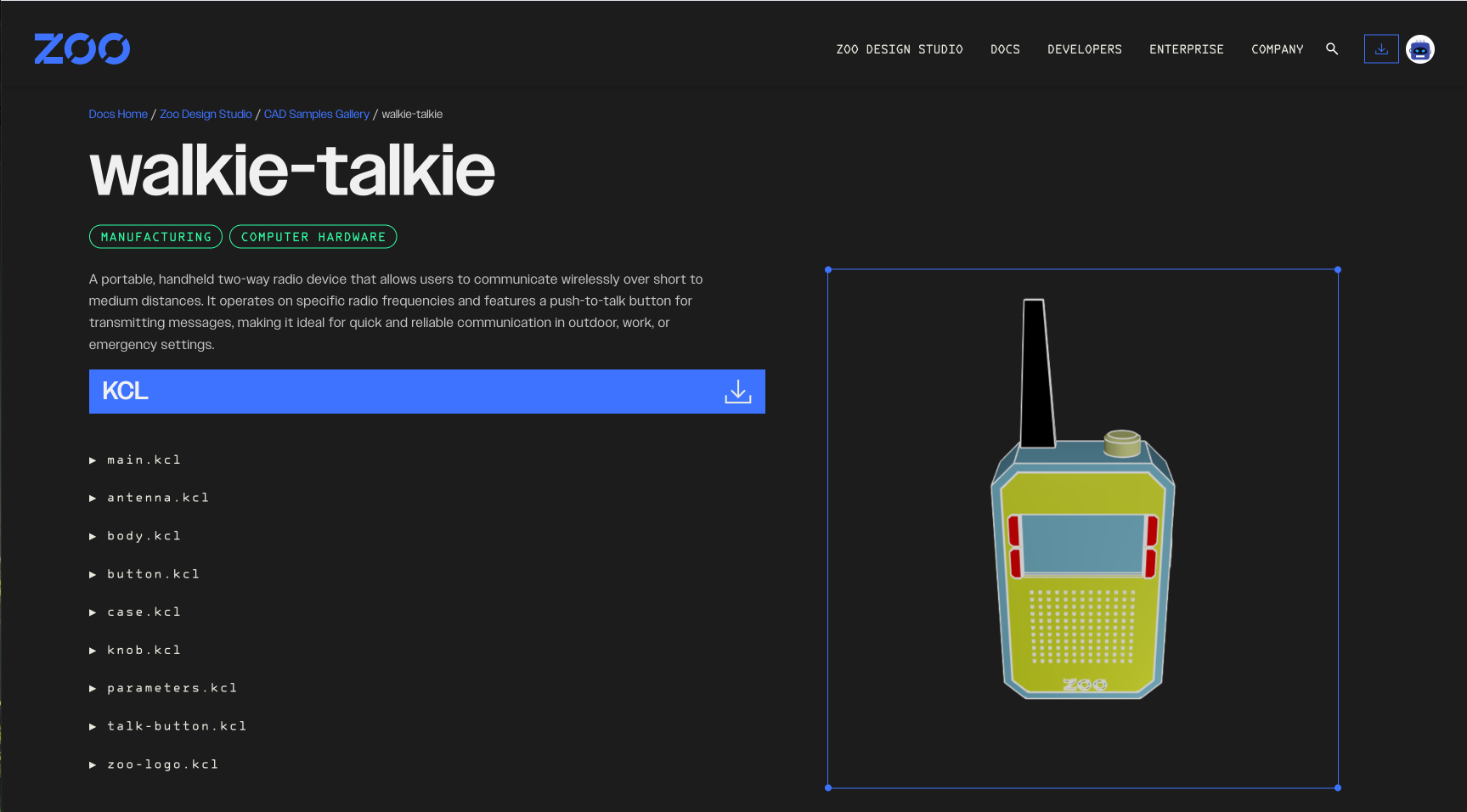
Our web engineer Persis did a great job with this redesign! You can now browse samples by category, so have fun checking out various models and their KCL code.
Holes are no longer experimental
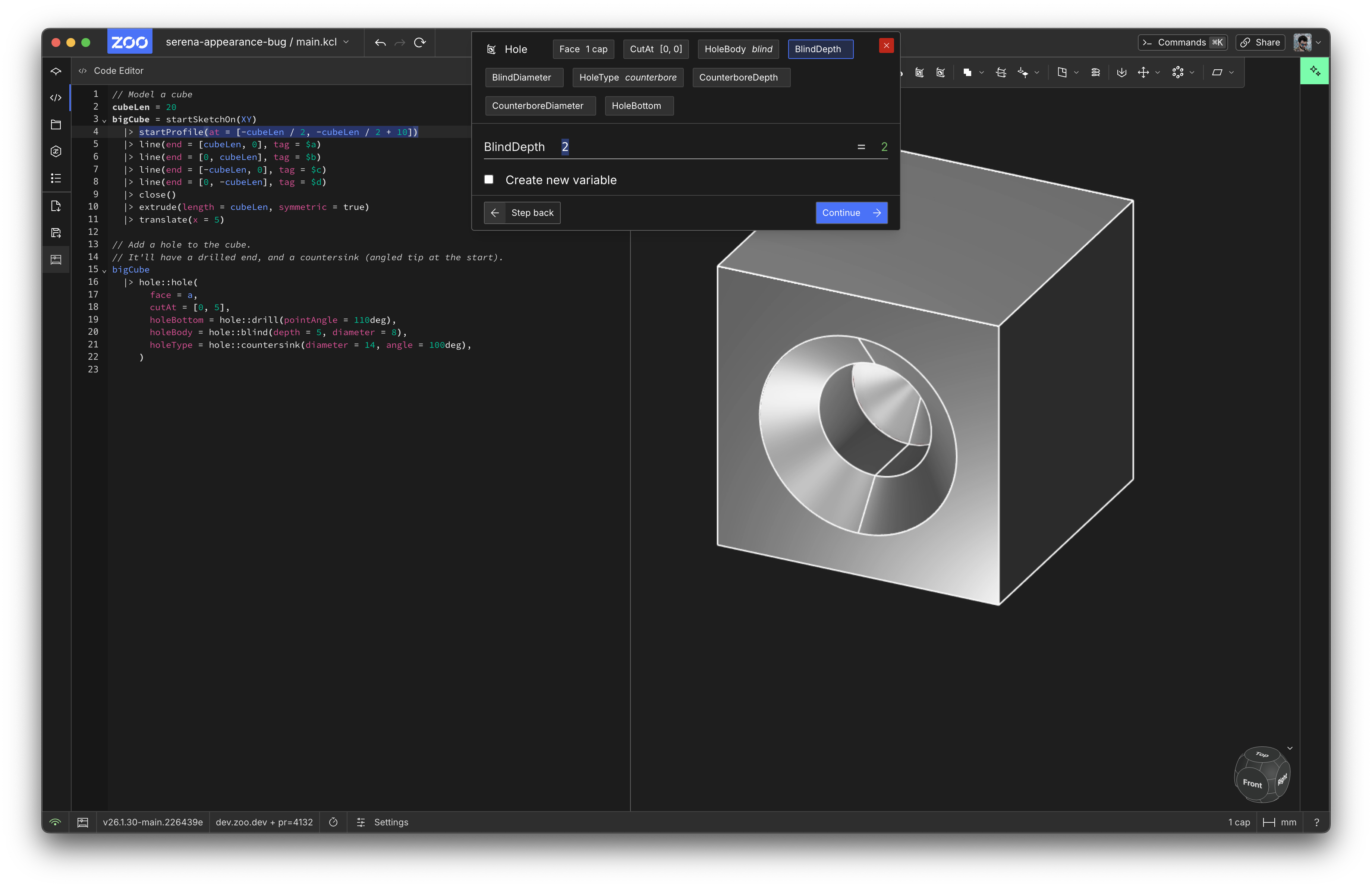
We shipped the KCL hole library a few months ago, and it no longer requires KCL experimental mode. Go forth and drill holes into your model without fear.
Editor improvements
Our autocomplete was occasionally not triggering when it should. We fixed this bug! The LSP thought the user's cursor was in a comment, even if the cursor was clearly on the line above the comment. That's fixed now (see PR and followup). We also improved KCL's formatter, which was creating ugly code with if expressions and expressions inside function call arguments. If you notice more ugly formatted code, please let us know!
Flexible toolbar size
When you resize Zoo Design Studio, if the toolbar didn't have enough room, it would just get cut off, like below:
Now, thanks to Frank's PR, the toolbar will resize itself and take up two rows if necessary!
Also, the toolbar's corners stay nice and round when it's floating in the viewport, like normal:
But notice that the round corners disappear so they can properly touch the viewport:
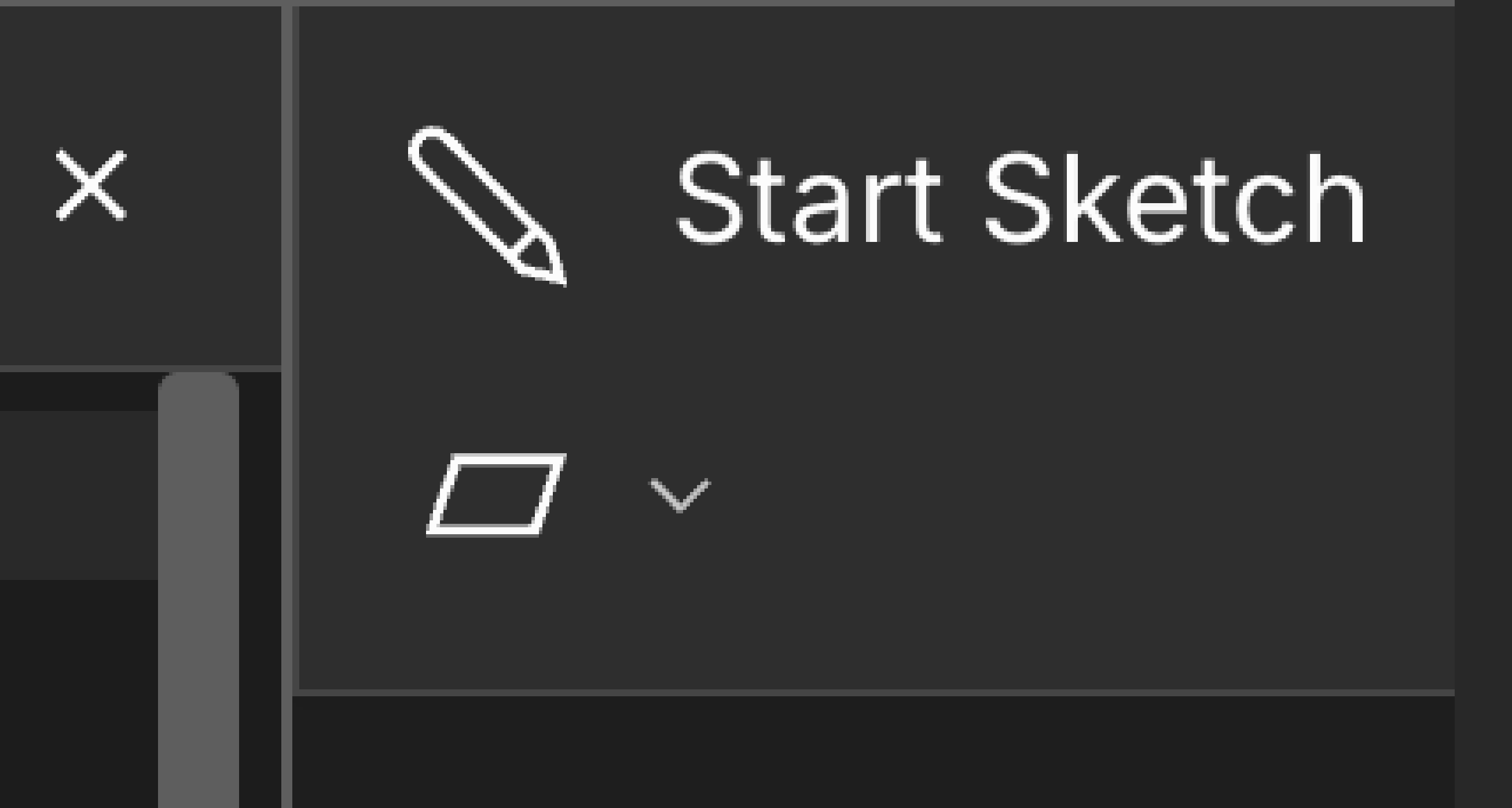
That's Frank's obsessive eye for details shining through.